PWA for Mobile
This guide explains how to install roommaster Web as a Progressive Web App (PWA) on your mobile device (smartphone or tablet).
Prefer to watch the steps instead? Follow along with the official roommaster Web PWA mobile tutorial here: roommaster Web PWA for mobile.
What is a PWA?
A Progressive Web App (PWA) is a web application that can be installed on your mobile device and used like a native app. PWAs offer:
- Home screen installation - Quick access from your device's home screen
- Push notifications - Receive important updates and alerts
- Native-like experience - Smooth performance and app-like interface
System Requirements
- iOS: iOS 11.3 or later (Safari browser)
- Android: Android 5.0 or later (Chrome browser)
- Internet connection for initial setup and data synchronization
Installing roommaster Web PWA
Step 1: Open roommaster Web
- Open your mobile browser (Safari on iOS, Chrome on Android)
- Navigate to your roommaster Web URL: www.app.innquest.com/login
Step 2: Install the PWA
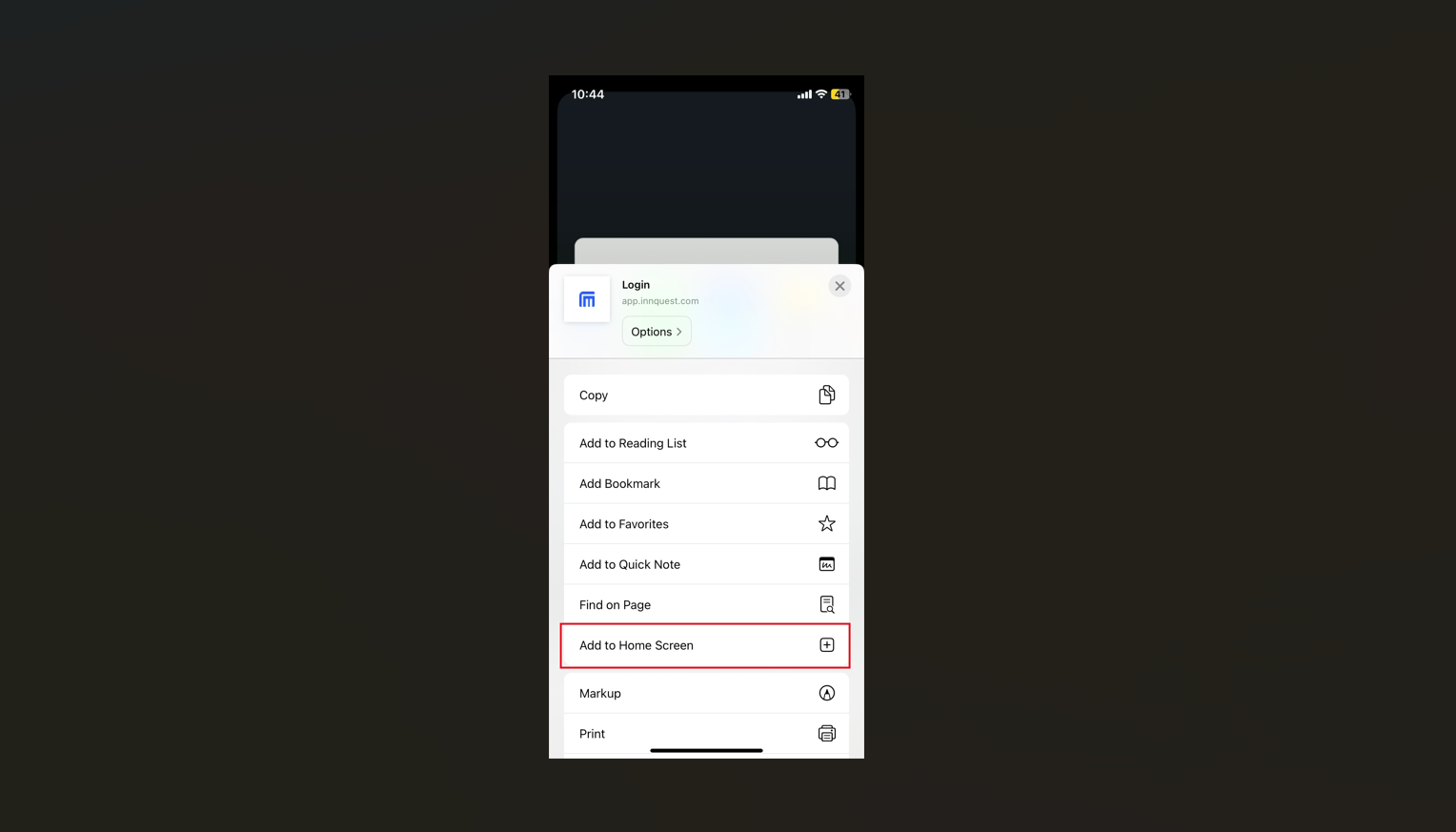
iOS (Safari):
- Tap the Share button (square with arrow pointing up)
- Scroll down and tap Add to Home Screen
- Tap Add in the top right corner
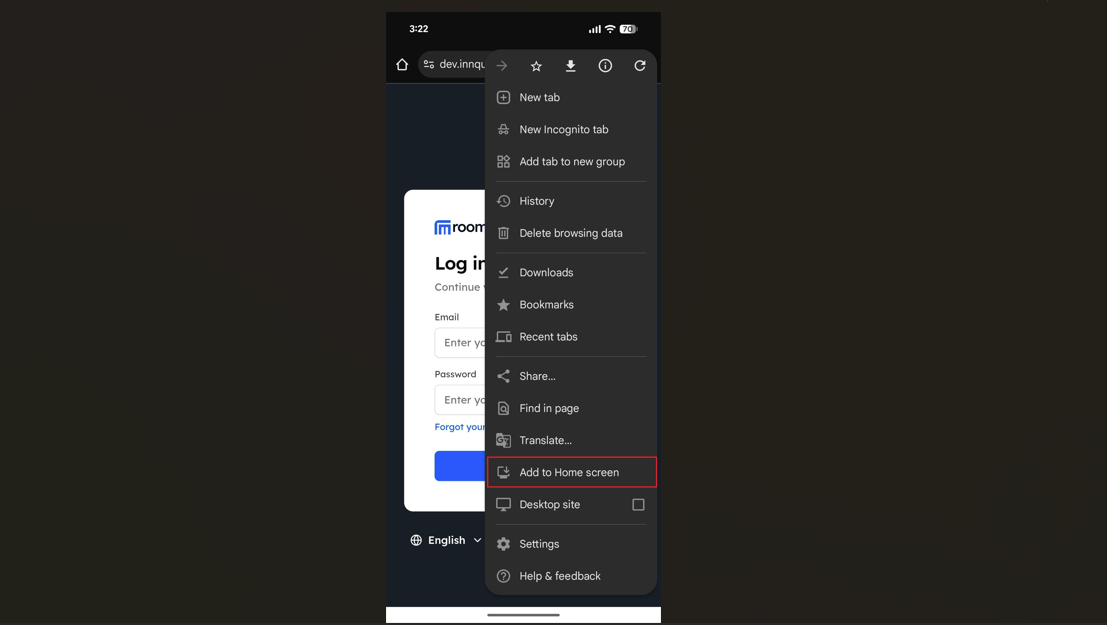
Android (Chrome):
- Tap the Menu button (three dots) in the browser
- Tap Add to Home screen or Install app
- Tap Add or Install in the confirmation dialog
Step 3: Launch the PWA
After installation, you can launch roommaster Web from:
- Your home screen (app icon)
- Your app drawer
- Your recent apps list
Benefits of Using the PWA
- Faster access - No need to open browser and navigate to the URL
- Better performance - Optimized for mobile use
- Full-screen experience - Use the entire screen without browser UI
- Home screen integration - App icon on your home screen
Mobile-Specific Features
Touch Gestures
- Swipe - Navigate between pages and sections
- Pinch to zoom - Zoom in/out on charts and reports
Autofill for Email and Password
You can use your device’s autofill so the PWA suggests your saved email and password on the login screen.
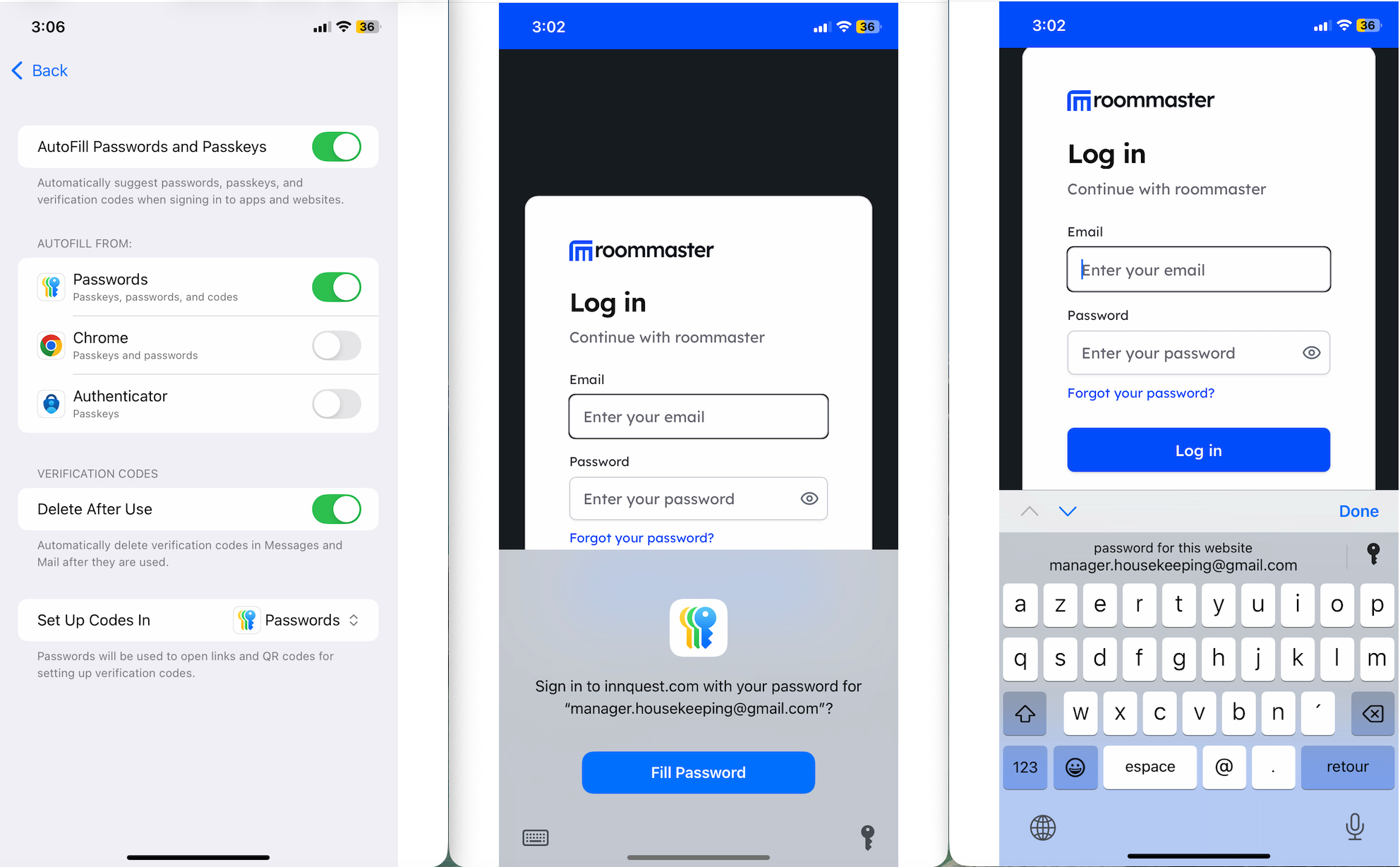
iOS (iPhone / iPad)
- Open Settings on your device.
- Go to Passwords (or Settings → Safari → Passwords on older iOS), or Autofill & Passwords where available.
- Turn Autofill (or Autofill & Passwords) on.
- In the Autofill from (or equivalent) section, ensure the Password option is on and that iCloud Passwords or your preferred source is selected.
- Open the roommaster Web PWA from your home screen.
- On the login screen, tap the email or password field; you will be prompted to autofill your saved email and password.
Android
Using Google Password Manager (Chrome):
- Open Chrome on your device.
- Tap the Menu button (three dots) → Settings → Passwords.
- Turn Save passwords on.
- Turn Auto Sign-in on (so Chrome can suggest and fill saved passwords).
- Open the roommaster Web PWA from your home screen or app list.
- On the login screen, tap the email or password field; Chrome will offer to autofill your saved credentials.
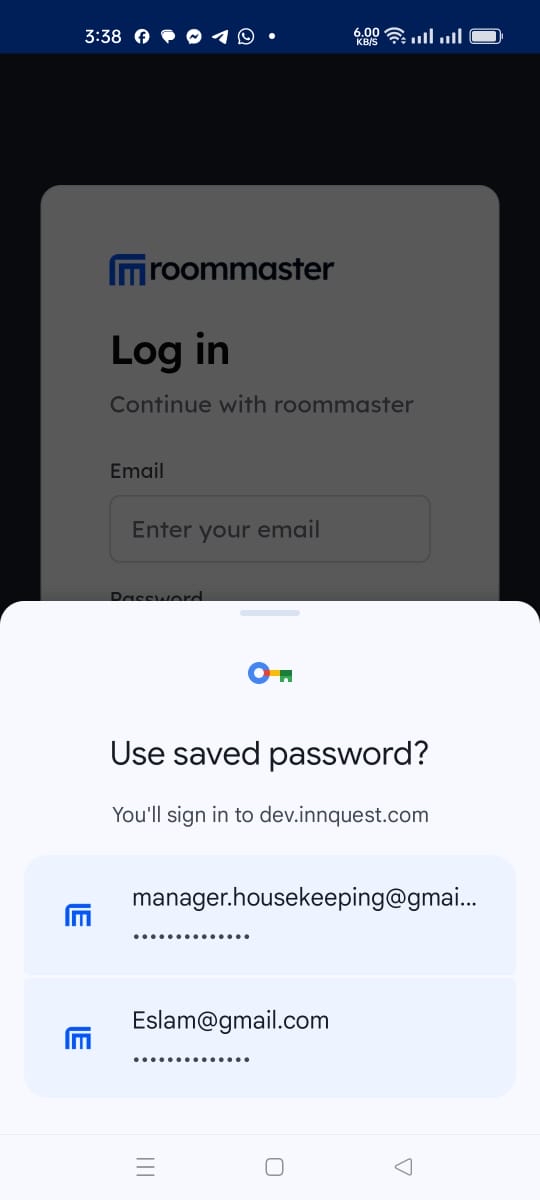
If autofill does not appear, ensure you have saved your roommaster Web login in your password manager or in Chrome (Google Password Manager) after a successful sign-in.
Troubleshooting
PWA Not Installing
- Check device compatibility - Ensure your device meets system requirements
- Clear browser cache - Try clearing your browser's cache and cookies
- Check permissions - Ensure your browser allows PWA installation
Performance Issues
- Close other apps - Free up device memory
- Restart device - Clear device memory and cache
- Update device - Ensure your device has the latest OS updates
Support
For PWA installation assistance, please contact our support team at support@roommaster.com or visit our Knowledge Base.