Rooms
This article explains how to view and manage room-related settings including room types, groups, and room data within the Housekeeping module.
The Rooms tab is divided into three sections: Room Types, Room Groups, and Rooms, each displaying information imported from roommaster cloud (RMC).
Room Types Section
The Room Types section displays all the room types that were imported from RMC with their:
- Description
- Room type size (if available)
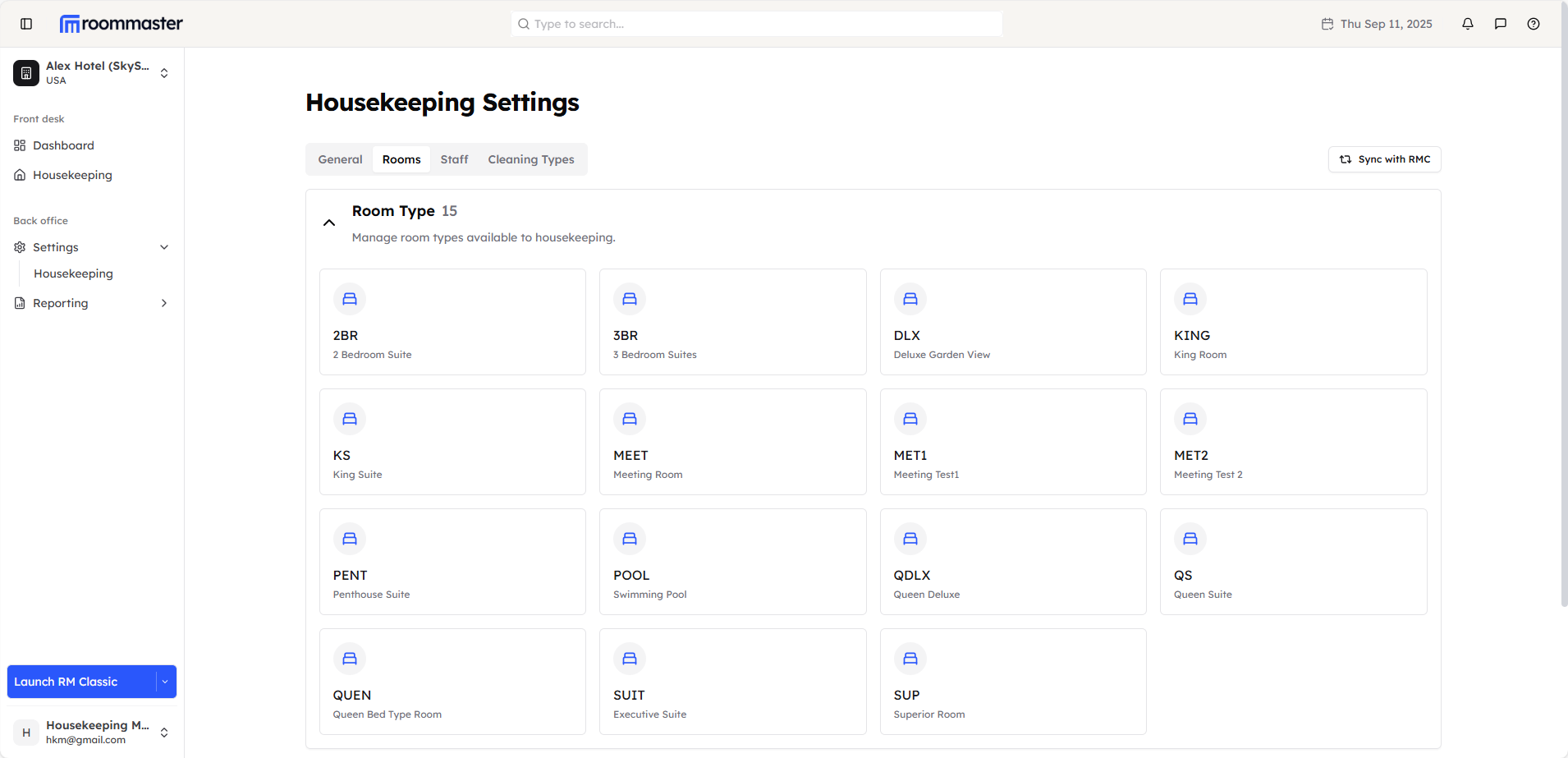
This section provides a comprehensive view of all available room classifications for your property.
Groups Section
The Room Groups section displays all the room groups that were imported from RMC
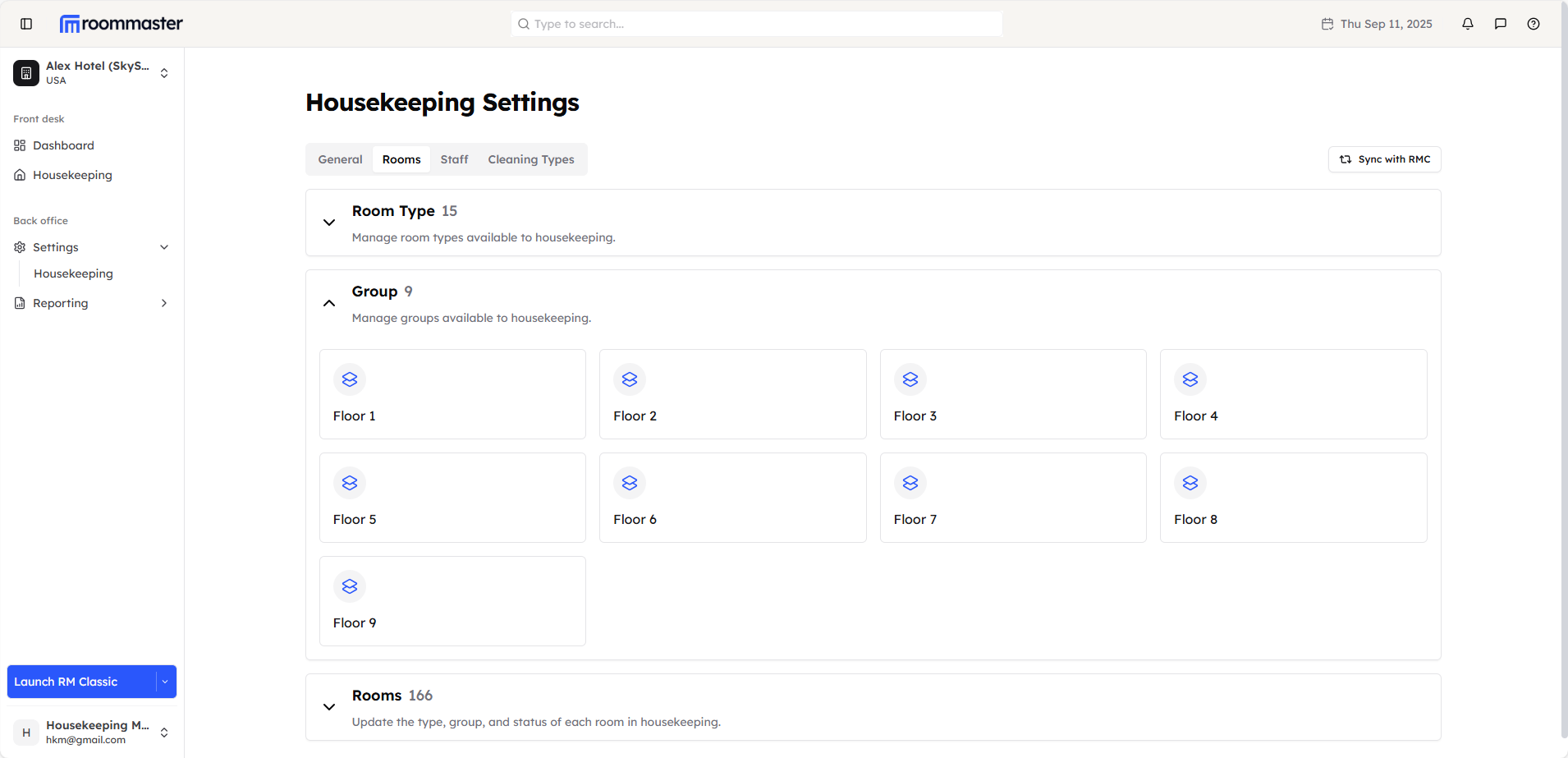
This section shows all the groupings or zones that rooms are organized into across your property.
Rooms Section
The Rooms section displays a table with all the rooms that were imported from RMC. The table shows:
- Room name/number
- Room type
- Room group
- Room status
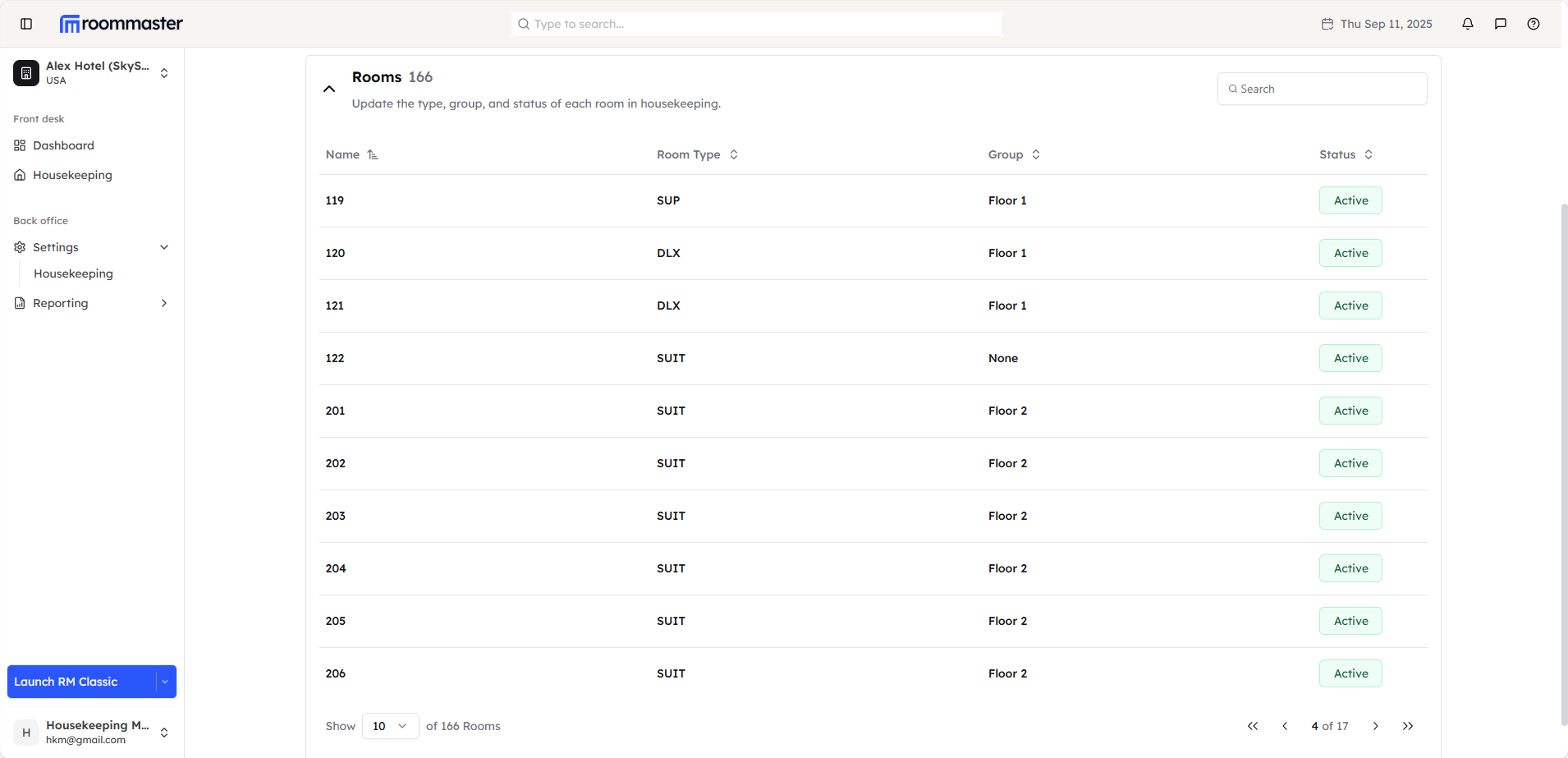
Clicking on any room in the table opens up the room details for editing.
Room Details Editing
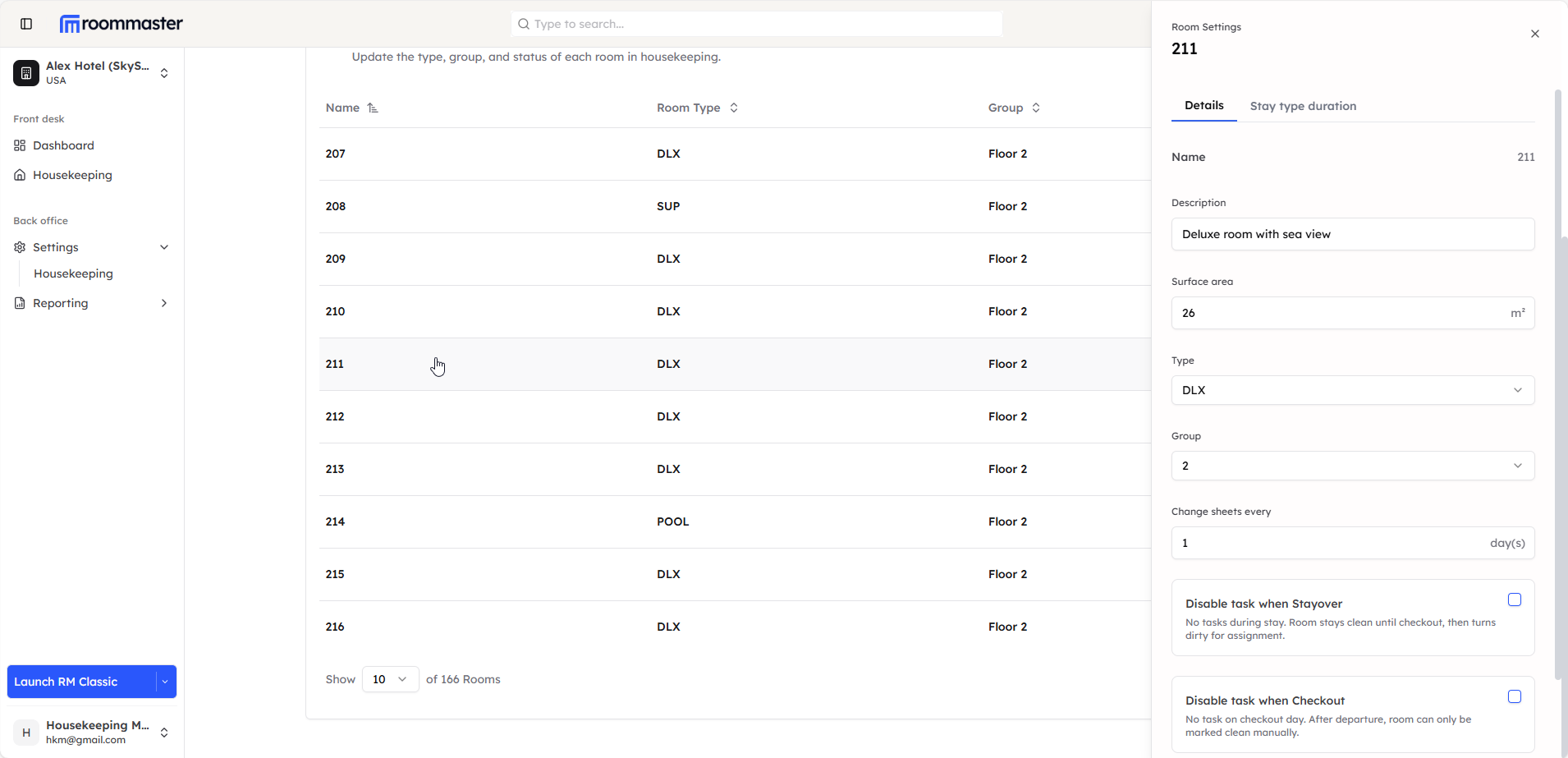
When you click on a room, the room details panel opens where you can edit the following:
What Can Be Edited:
- Description - Room description or special notes
- Surface Area - Room size measurements
- Room Type - Classification of the room
- Room Group - Zone or area assignment
- Change Sheets Cadence - Frequency of sheet changes
Disabling Room Assignment and Task Creation
Configure automatic task creation based on guest activity:
Disable Tasks for Stayover Guests:
- Skips cleaning during guest stay
- Room remains clean until checkout
- Automatically becomes dirty when guest departs for task assignment
Disable Tasks for Checkout:
- No cleaning task created on departure day
- Room stays in current status after checkout
- Manual intervention required to mark room as clean
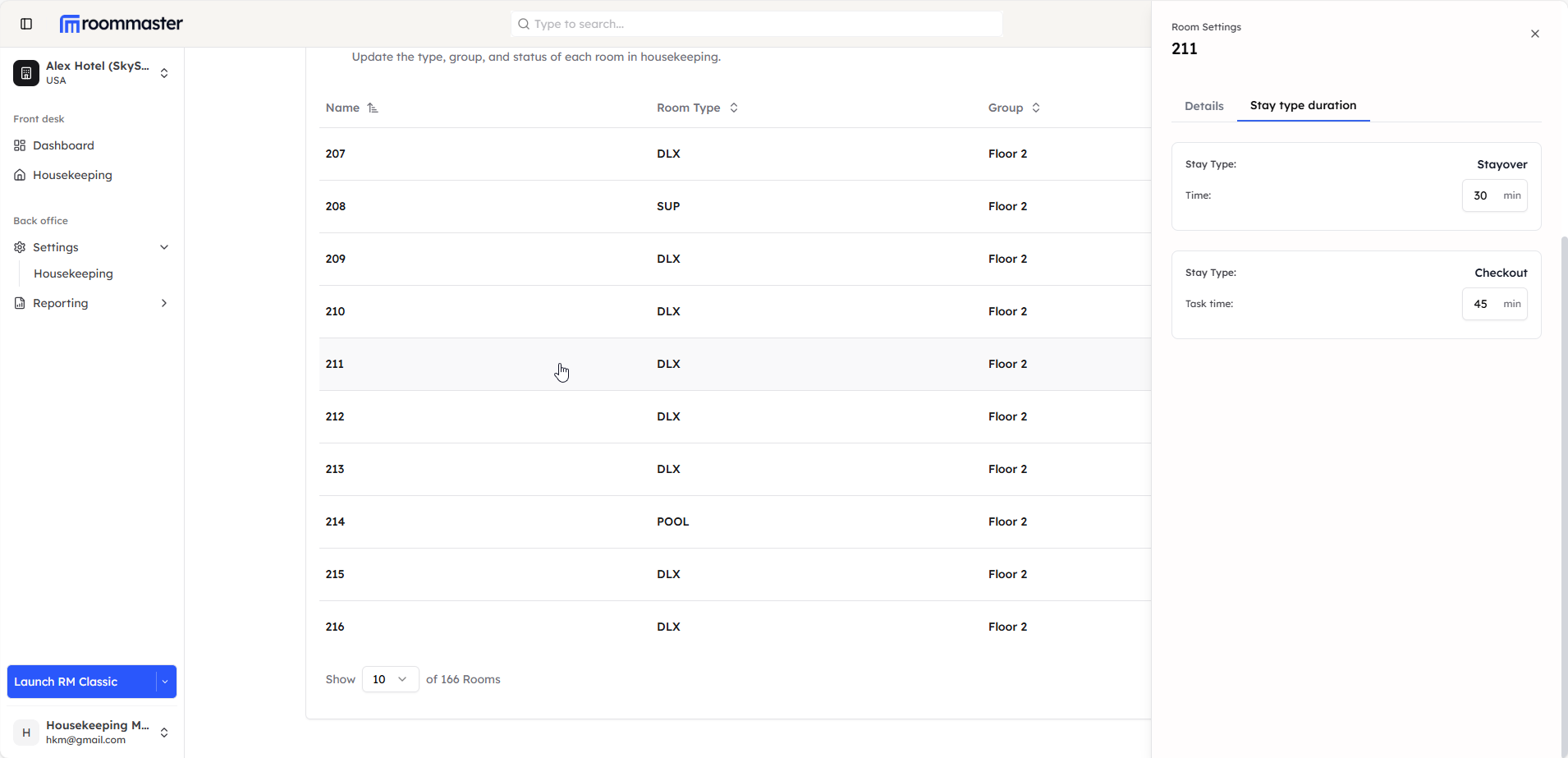
Stay Type Duration Tab
The second tab in room details shows the Stay Type Duration. This section allows you to configure cleaning time estimates:
- Stay Type Duration marks the cleaning minutes for a room when it has a stayover or a checkout
- These values are imported from roommaster cloud
- Values can be edited on roommaster web as needed
Data Synchronization
Important Note: Any edit made on roommaster web for a room will be reflected on roommaster cloud automatically.
Still Need Help?
If you're having trouble managing rooms, types, or groups:
- Ensure you have the proper permissions
- Contact support at support@roommaster.com or visit our Knowledge Base