Add a Comment
This article explains how to add comments to tasks in the roommaster Web housekeeping module for communication between housekeeping managers and housekeepers.
Overview
Comments provide an essential communication tool for housekeeping managers to communicate with housekeepers about specific tasks. Comments are attached directly to the task and serve as a way to provide instructions, feedback, or additional information that housekeepers need to complete their work effectively.
Adding a Comment to a Task
Access Task Details
- Navigate to Room List - Go to the room list view
- Click on Room - Click on the room that has the task you want to add a comment to
- Open Room Details - The room side panel will open the housekeeping tab showing task information
Add Comment Process
- Click Add Comment - Click on "Add a Comment" at the bottom of the housekeeping tab
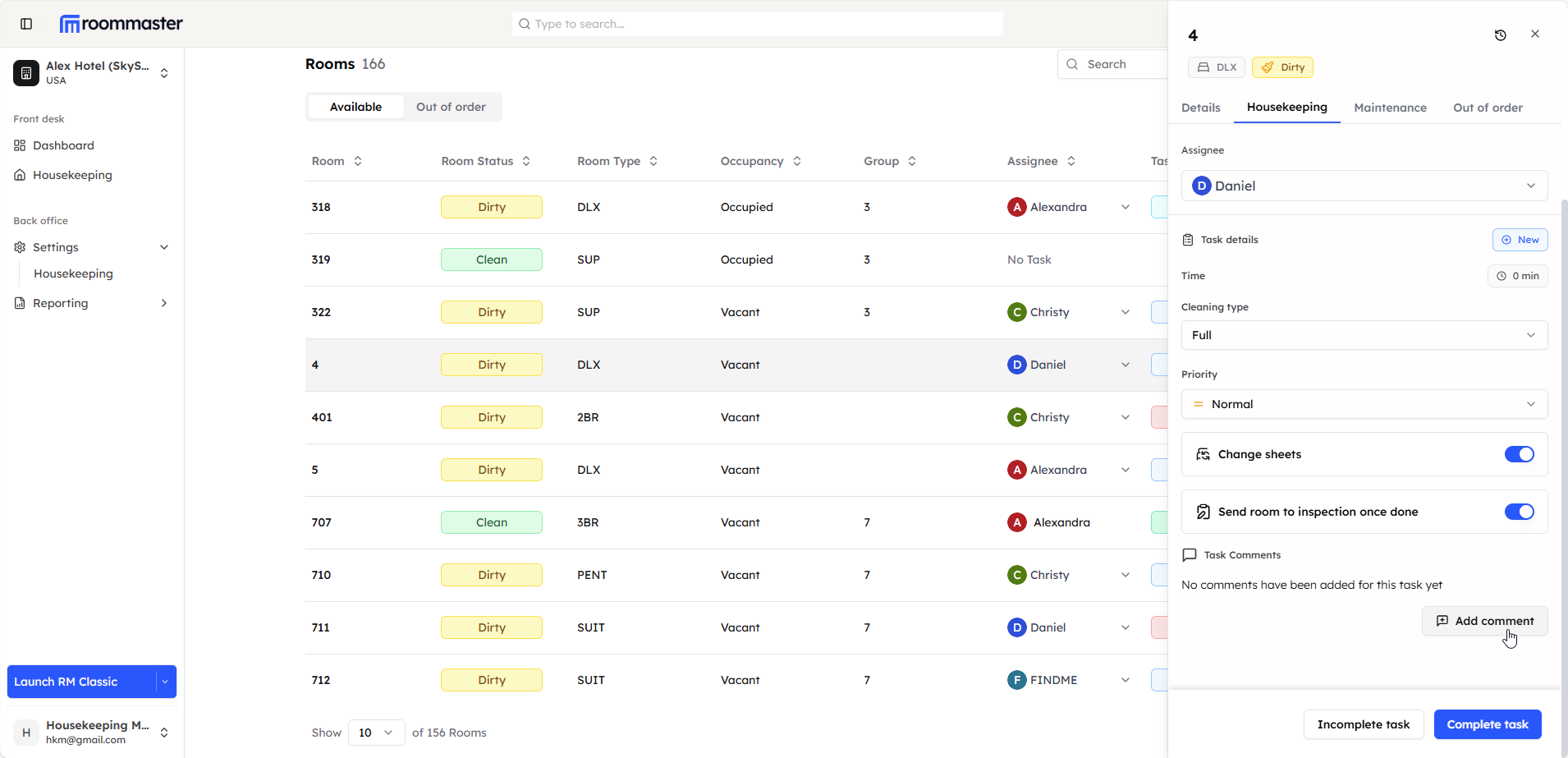
- Modal Opens - A modal will open with the title "New Task Comment"
- Enter Comment - Type your comment in the comment box
- Add Comment - Click on "Add Comment" to save your comment
Comment Display
After adding a comment:
- Comment Visible - The comment will be displayed in the housekeeping tab
- Multiple Comments - If more than 2 comments are added, a "View All" link will be displayed
- View All Comments - Clicking "View All" will take you to the comment tab where you can see all comments for that task
Best Practices
Effective Communication
- Clear Instructions - Provide clear, specific instructions in your comments
- Timely Feedback - Add comments promptly when issues arise or clarification is needed
- Professional Tone - Maintain a professional and helpful tone in all communications
- Actionable Information - Include actionable information that helps housekeepers complete tasks
Comment Management
- Regular Review - Regularly review comments to ensure they're being addressed
- Follow-up - Follow up on comments that require action or response
- Organization - Keep comments organized and relevant to the specific task
Use Cases
Common Comment Scenarios
- Special Instructions - Provide specific cleaning requirements or preferences
- Issue Reporting - Report problems or concerns about room conditions
- Priority Updates - Communicate changes in task priority or urgency
- Quality Feedback - Provide feedback on completed work
- Scheduling Information - Share scheduling updates or changes
Still Need Help?
For additional assistance with adding comments to tasks:
- Contact support at support@roommaster.com
- Visit our Knowledge Base