Reopen a Task
This article explains how to reopen tasks in the roommaster Web housekeeping module.
Overview
Task reopening allows you to restore previously completed or cancelled tasks that need additional work or were cancelled in error.
Reopening Completed Tasks
Access Task Details
- Navigate to Room List - Go to the room list view
- Locate Room with the completed Task - Find the room with the completed task you want to reopen
- Click on Room - A side panel will open showing room and task details
- Click Reopen Button - Click the "Reopen" button in the side panel
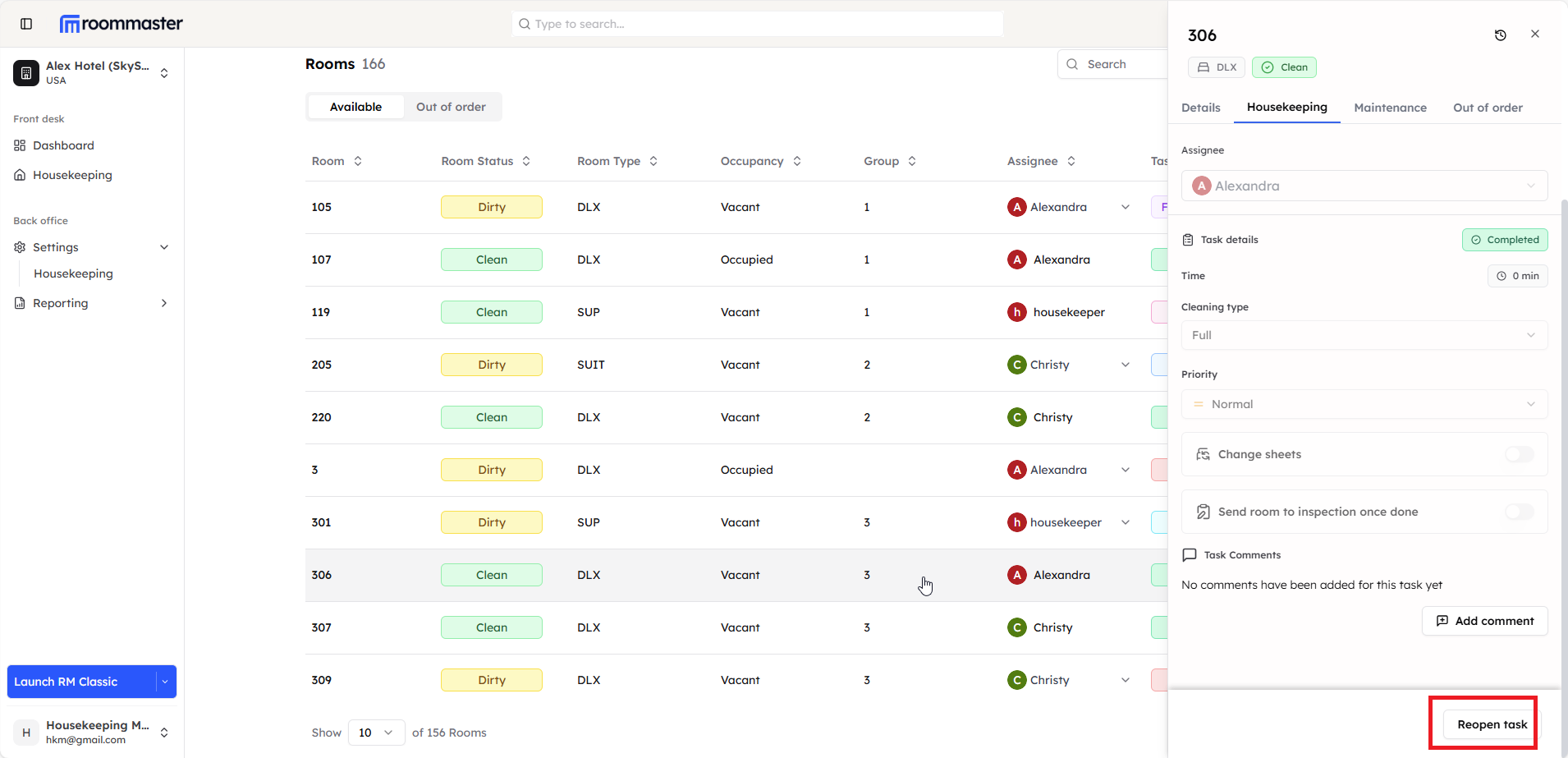
Reopen Process
- Modal Opens - A modal will open with:
- Comment Box - Add a reason for reopening (optional)
- Assignee Dropdown - Choose to reassign the task or keep the same assignee
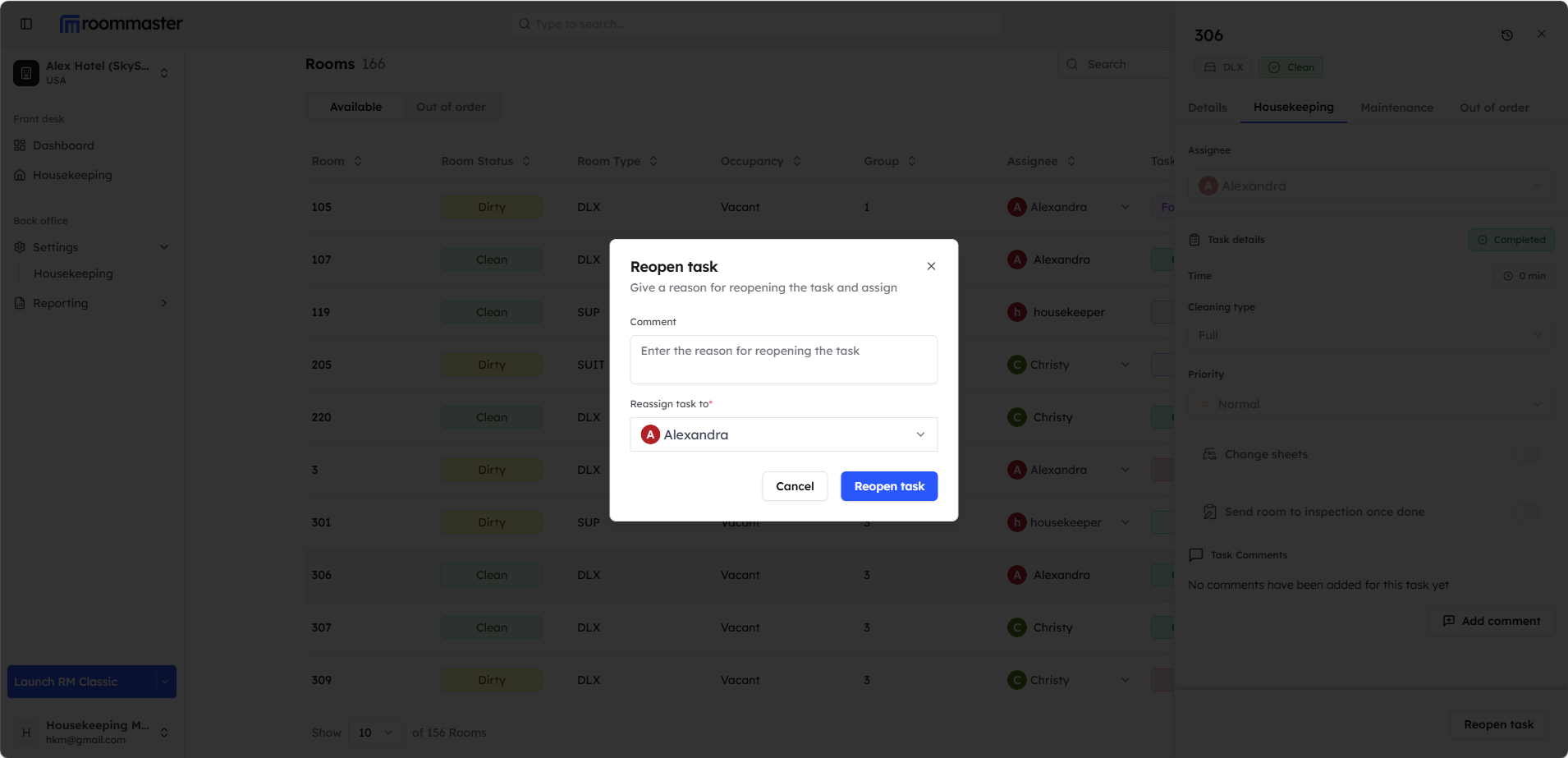
- Confirm Reopening - Click to confirm the reopening
Task Status Update
After reopening:
- Task Status - Changes to "New" or appropriate status
- Room Status - Room status changes to or remains "Dirty"
- Assignment - Task can be reassigned to housekeeping staff
Reopening Cancelled Tasks
Access Cancelled Task
- Navigate to Room List - Go to the room list view
- Locate Room with the cancelled Task - Find the room with the cancelled task you want to reopen
- Click on Room - A side panel will open showing room and task details
- Click Reopen Button - Click the "Reopen" button in the side panel
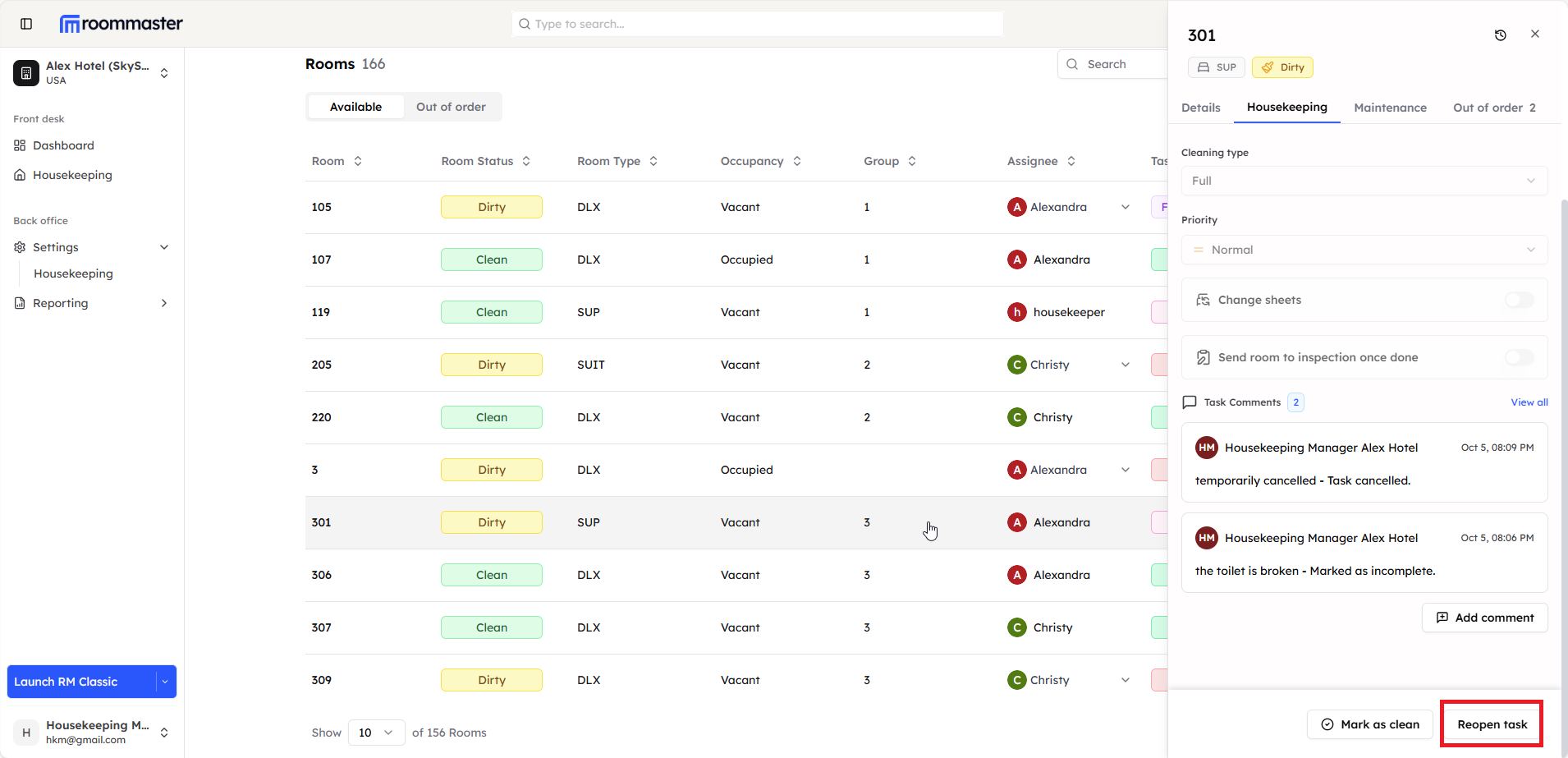
Reopen Process
- Modal Opens - A modal will open with:
- Comment Box - Add a reason for reopening (optional)
- Assignee Dropdown - Choose to reassign the task or keep the same assignee
- Confirm Reopening - Click to confirm the reopening
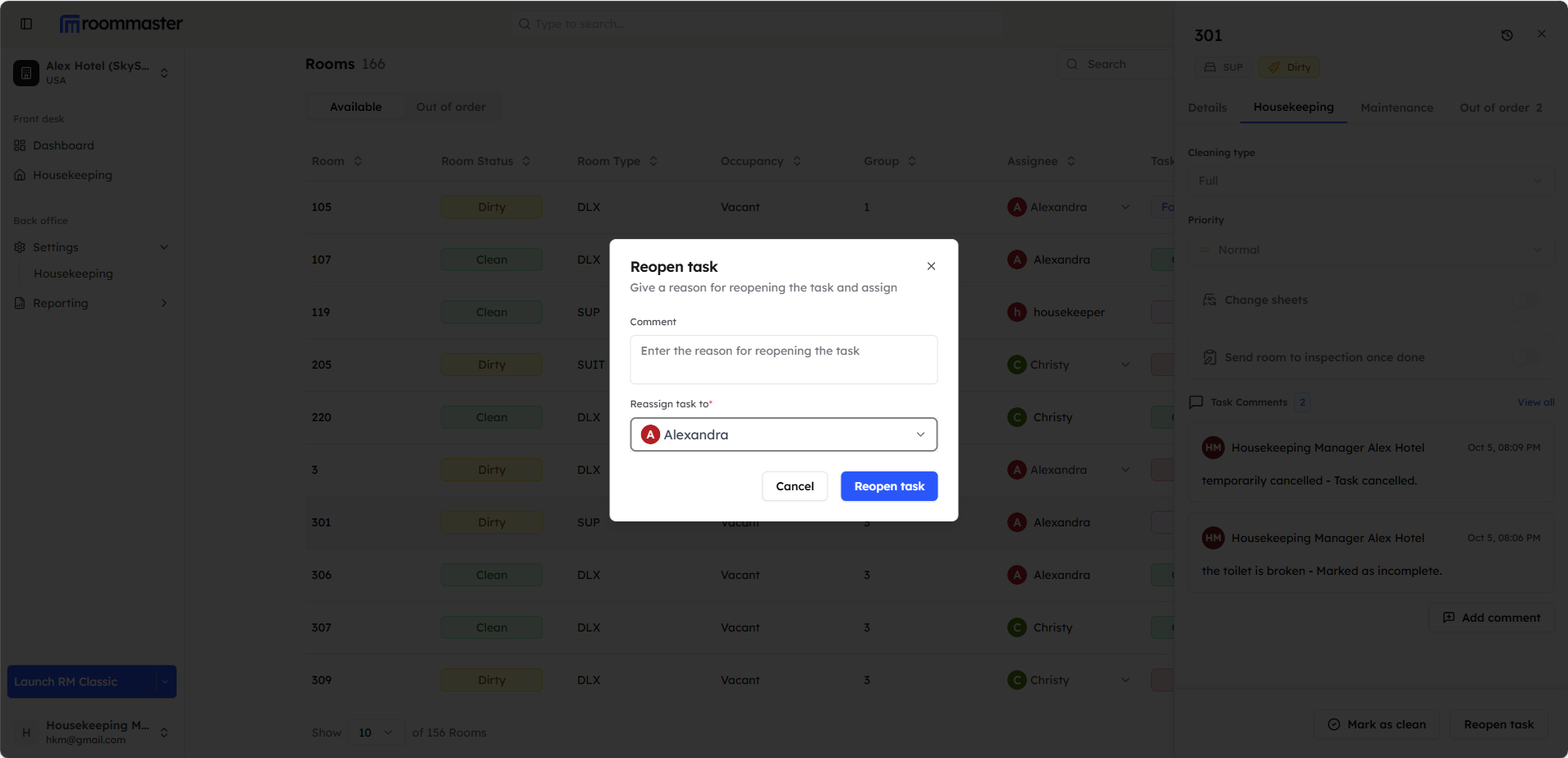
Task Status Update
After reopening:
- Task Status - Changes to "New" or appropriate status
- Room Status - Room status changes to or remains "Dirty"
- Assignment - Task can be reassigned to housekeeping staff
Best Practices
- Clear Documentation - Always provide clear reasons for reopening tasks
- Timely Action - Reopen tasks promptly when additional work is needed
- Communication - Inform relevant staff about reopened tasks
- Quality Control - Use reopening as an opportunity to improve quality standards
Still Need Help?
For additional assistance with reopening tasks:
- Contact support at support@roommaster.com
- Visit our Knowledge Base