Inspection
This article explains how to conduct inspections in the roommaster mobile housekeeping module for housekeeping managers.
Overview
Inspections are a critical part of the housekeeping workflow, ensuring that completed tasks meet quality standards before rooms are marked as clean and ready for occupancy.
Configuration Note: To customize inspection settings and requirements, refer to the General Settings page, specifically the Inspection Configuration section, where you can configure inspection criteria, approval workflows, and quality standards.
Inspection Process
Tasks Ready for Inspection
Tasks that are ready for inspection have the status:
- For Inspection - Tasks completed by housekeeping staff and awaiting inspection
Visual Indicators:
- Purple Bar - Rooms that are for inspection show a purple bar on the rooms tab
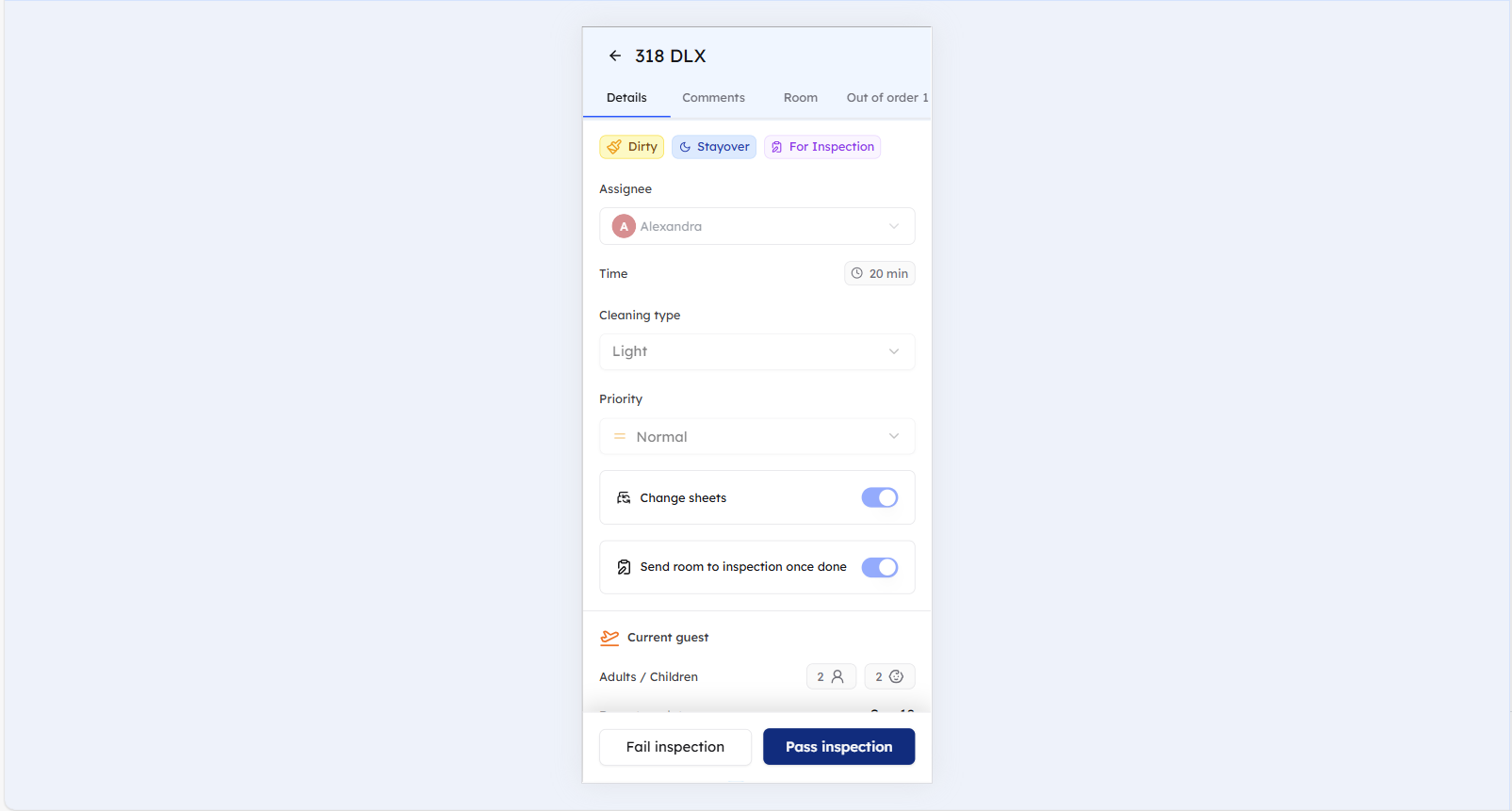
- Inspection Tag - Upon opening the room, you will see the tag "For inspection"
Conducting Inspections
- Access Task Details - Tap on the task marked "For Inspection"
- Update Status - Mark the task as either:
- Pass Inspection - Task meets quality standards
- Fail Inspection - Task requires additional work
Inspection Actions
To complete the inspection process, you must tap the appropriate button:
Pass Inspection
- Tap Pass Inspection Button - Tap the "Pass Inspection" button to approve the task
Fail Inspection
- Tap Fail Inspection Button - Tap the "Fail Inspection" button to reject the task
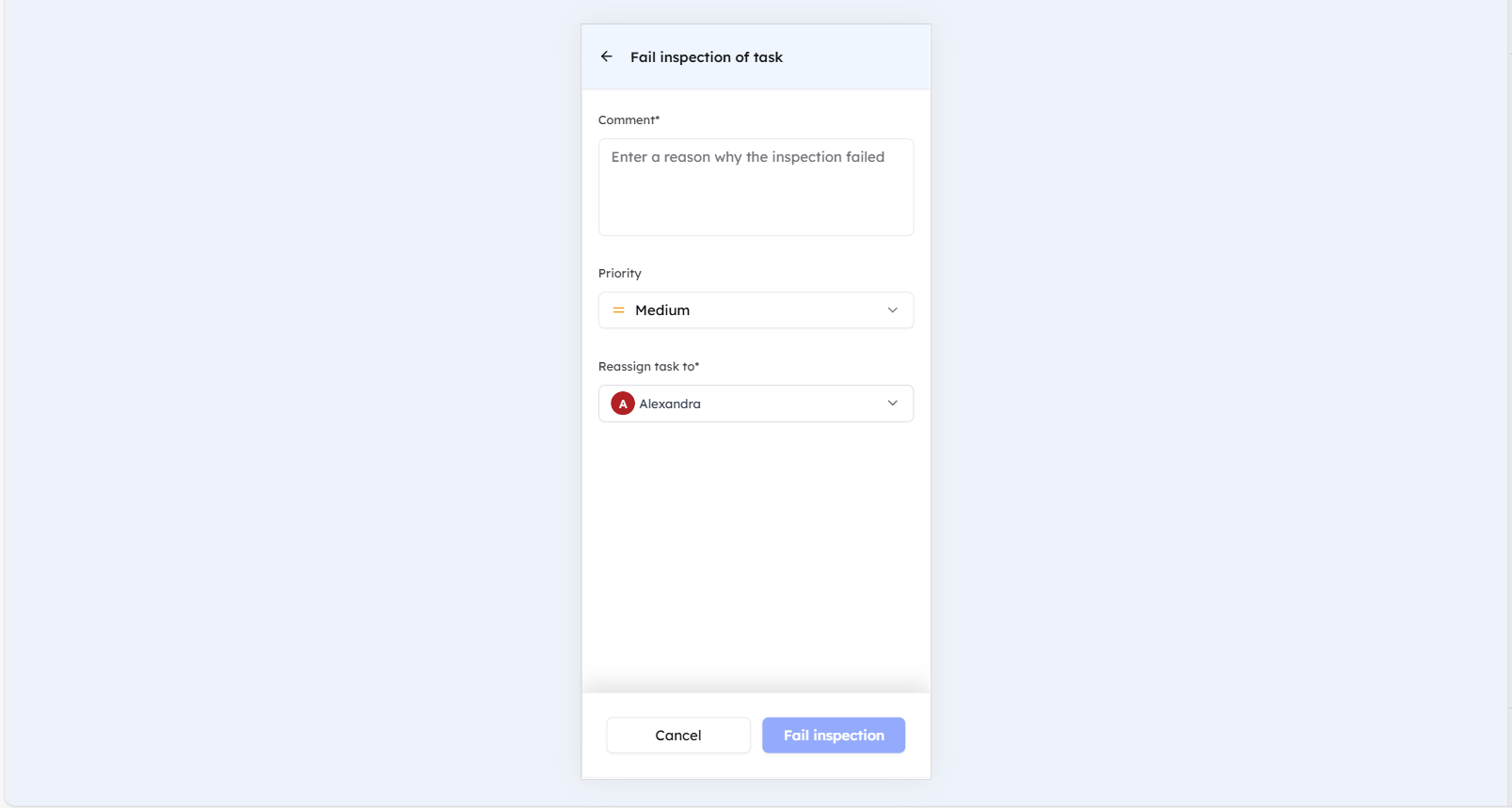
- Fail inspection modal - A modal will be displayed requiring additional information:
- Comment Required - Add a comment explaining why the inspection failed
- Priority Update - Optionally update the task priority level
- Reassignment - Optionally reassign the task to different housekeeping staff
- Confirm Failure - Tap on fail inspection button to confirm the inspection failure
Inspection Results
Passing Inspection
- Task Status Change - Task status changes to "Completed"
- Room Status - Room status updates to "Clean"
Failing Inspection
- Status Change - Task status changes to "Fail"
- Room Status - Room remains "Dirty"
- Reassignment - Task may need to be reassigned for re-cleaning
Quality Control
Documentation
- Inspection Notes - Add comments about inspection findings
- Quality Issues - Document any quality concerns
- Follow-up Actions - Note any required follow-up work
Best Practices
- Consistent Standards - Apply consistent inspection criteria
- Timely Inspections - Conduct inspections promptly after task completion
- Clear Communication - Provide clear feedback to housekeeping staff
- Training Support - Use inspection results to improve staff training
Still Need Help?
For additional assistance with inspections:
- Contact support at support@roommaster.com
- Visit our Knowledge Base
- Check your internet connection and refresh for real-time updates