Complete - Incomplete a Task
This article explains how to mark tasks as complete or incomplete in the room details tab of the housekeeping module of the roommaster mobile application.
Overview
The Complete - Incomplete workflow allows you to update task progress and room status. This feature ensures accurate task tracking and proper workflow management for housekeeping operations.
Marking Tasks as Complete
When a housekeeping task has been finished:
Steps to Complete a Task
- Navigate to the TODO tab in the mobile housekeeping application
- Select the room with the completed task
- Open the Room Details
- Tap the "Complete" button
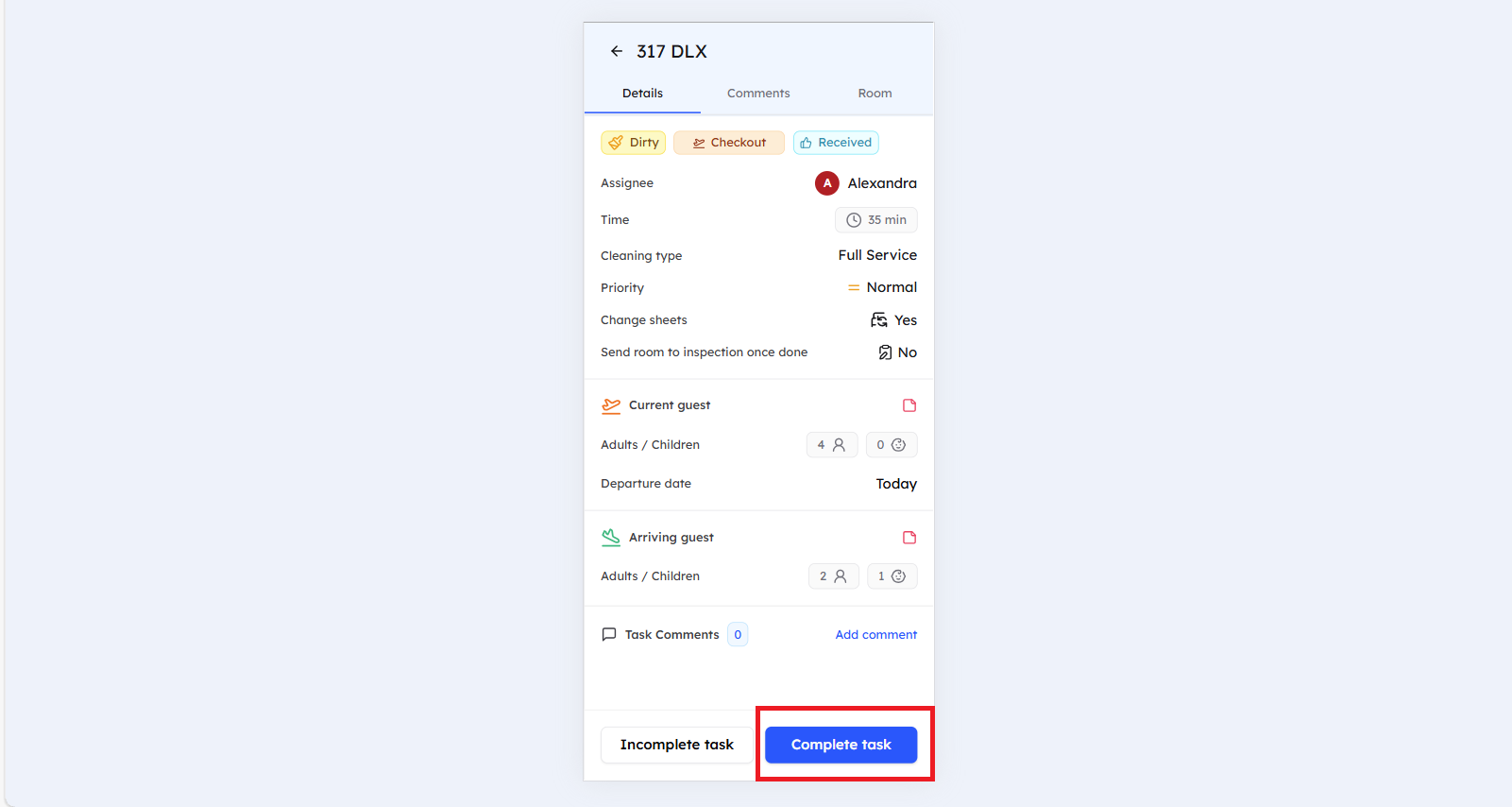
What Happens When a Task is Complete
- Status Update - Task status changes to "Complete" or "For inspection"
- Timestamp Recording - Completion time is automatically recorded
- Room Status Update - Room status will change to "clean", if no inspection is required
warning
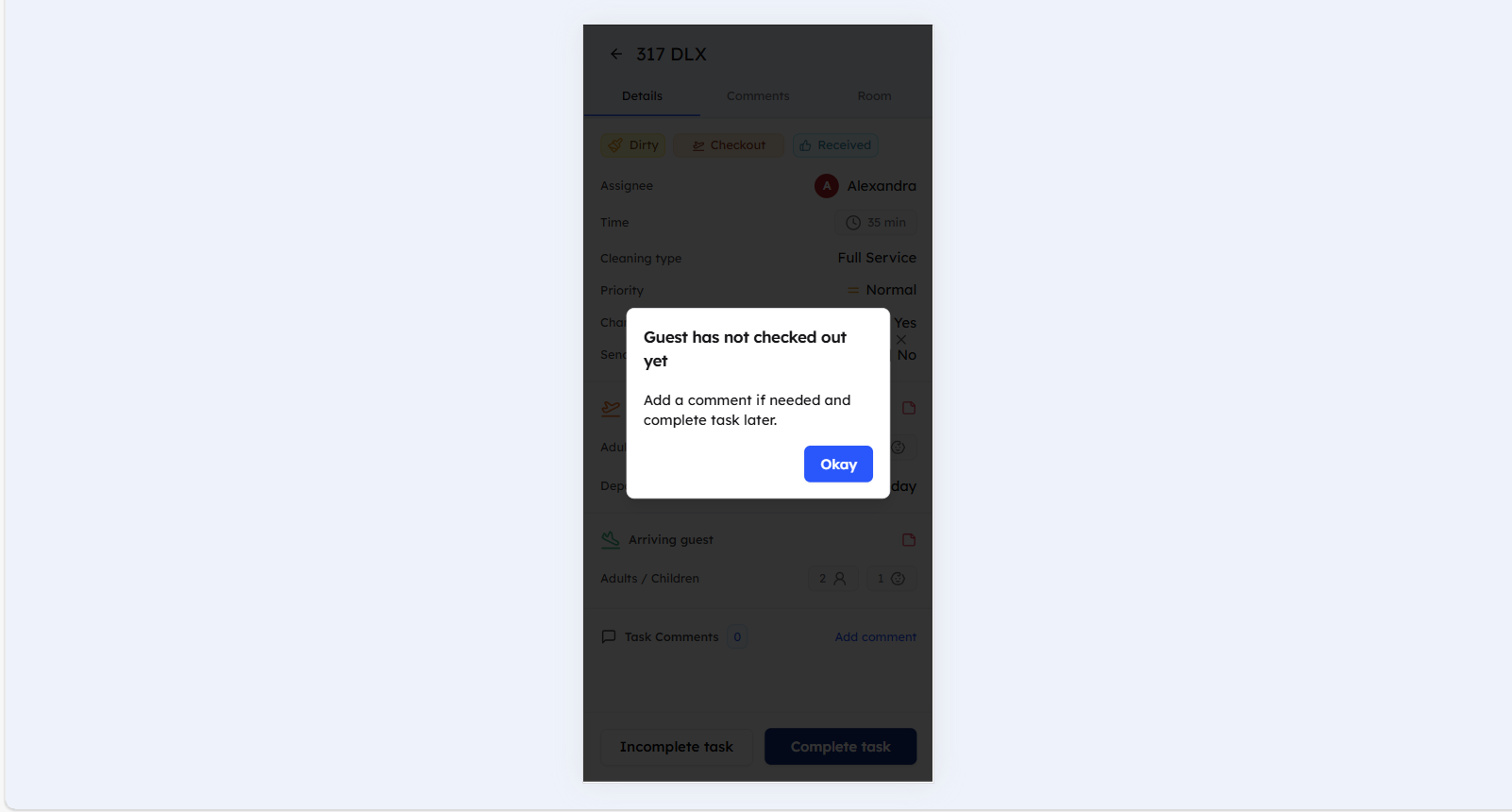
A task cannot be completed if the room is occupied and the stay type is checkout, and the guest did not checkout yet. This action will trigger a warning.
Marking Tasks as Incomplete
When you are faced with an obstacle that does not allow you to complete the task:
Steps to Mark a Task as Incomplete
- On the TODO tab, select the room with the task you couldn't complete
- Open the Room Details
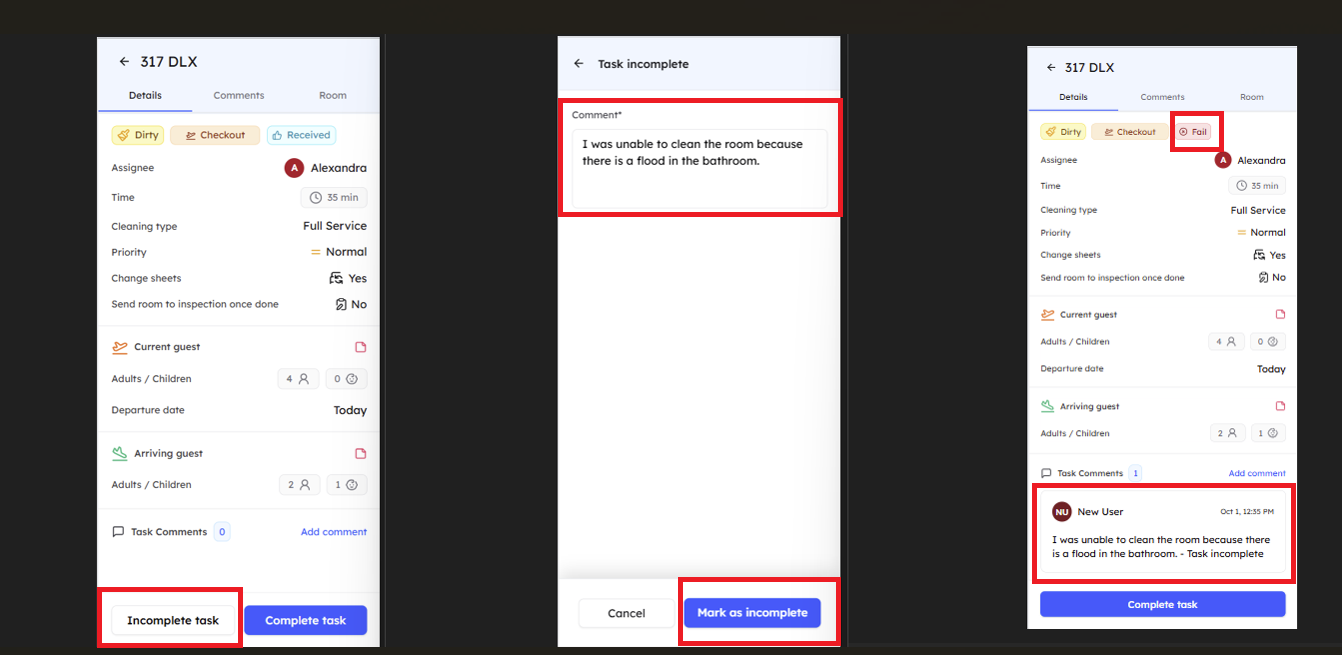
- Tap the "Incomplete" button
- Enter reason for incompletion (the comment will be displayed in the comment section with "Marked as incomplete" tag)
- Wait for the manager's comment to address the situation
What Happens When a Task is Incomplete
- Status Update - Task status changes to "Fail"
- Workflow Options - Task can be canceled or reopened
- Timestamp Recording - Incompletion time is automatically recorded
Task Status Options
Complete Workflow
- Complete → Leads to inspection or task completion
Incomplete Workflow
- Incomplete → The task can be canceled by the housekeeping manager if the incompletion reason is valid, if not, it will be kept open for the housekeeper to clean it and the communication between housekeeper and manager should be done by the comments
Best Practices
For Complete Tasks
- Verify all cleaning requirements are met before marking complete
- Update room status promptly after task completion
- Document any special circumstances or notes
For Incomplete Tasks
- Provide clear reason for incompletion
- Communicate with the manager about the incompletion reason
- Follow up on incomplete tasks to ensure resolution
Still Need Help?
If you're having trouble with task completion or incompletion:
- Verify internet connectivity for real-time updates
- Refer to the Room Details guide for comprehensive room information
- See the Add a comment guide for adding notes to tasks
- For additional support, please contact our support team at support@roommaster.com or visit our Knowledge Base