Upload folders and files
This article explains where and how files and folders can be uploaded in the roommaster Web app, file storage module.
Important upload rules
info
- Files and folders can only be uploaded to the Imports root folder and the Images root folder
- Uploading is not allowed in any other folders
- If the upload option is disabled or not visible, the current folder does not support uploads
How to upload files or folders
- Navigate to either the Imports folder or the Images folder
- Click the Upload button
- A menu appears with the following options:
- Upload files
- Upload folders
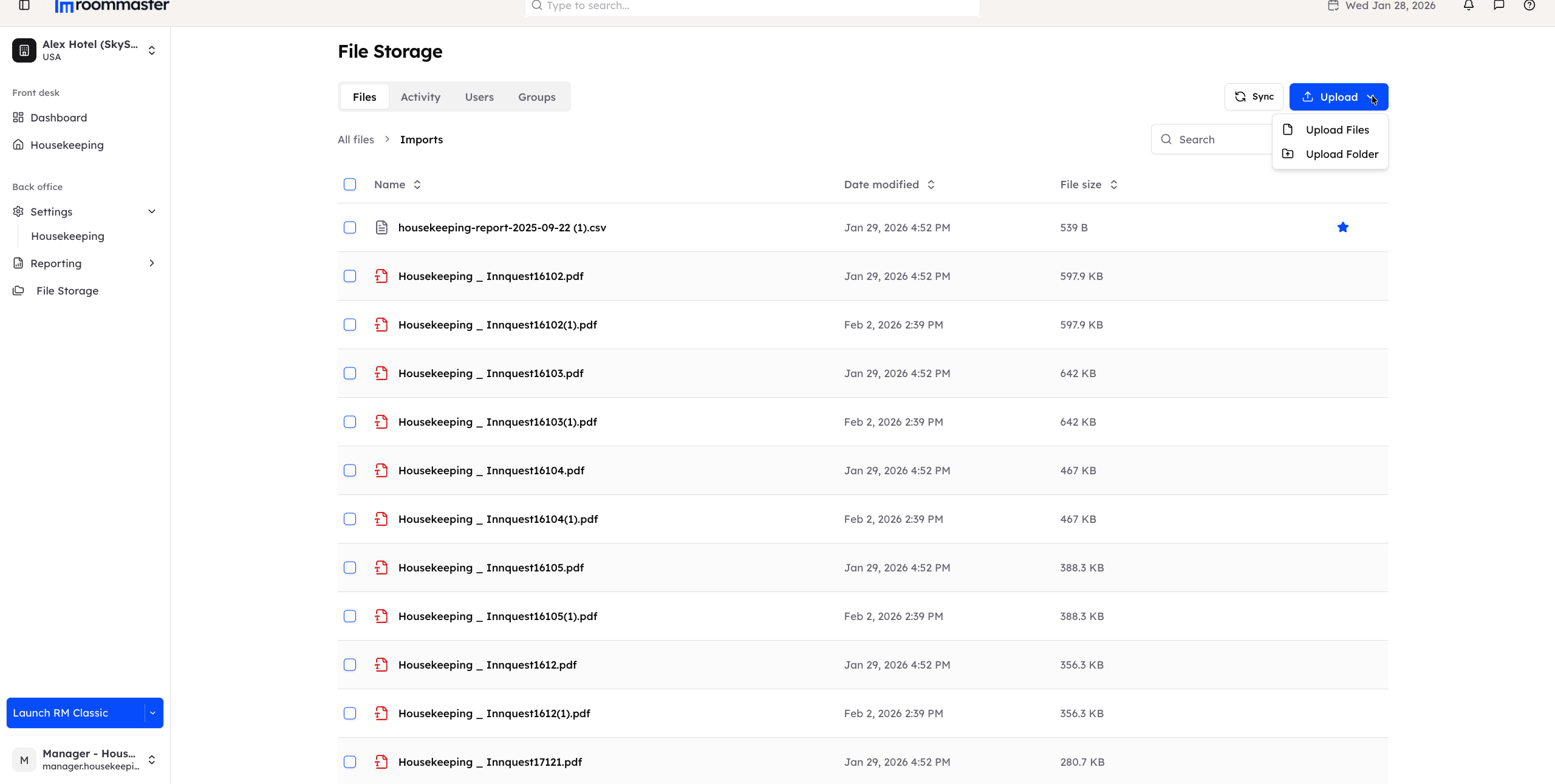
- Select the option you need
- Your file explorer opens
- Choose the files or folders you want to upload
- Confirm your selection to start the upload
Upload features
Single file upload
Upload one file at a time by selecting it from the file explorer.
Multiple file selection
- You can select multiple files for upload
- Up to 50 files per batch are supported
Folder upload
- Folder upload is supported in Chrome, Firefox, Safari and Edge
- When uploading a folder, the folder itself is not uploaded as a folder
- All files inside the selected folder are extracted and uploaded individually into the Imports or Images folder
- The original folder structure is not preserved
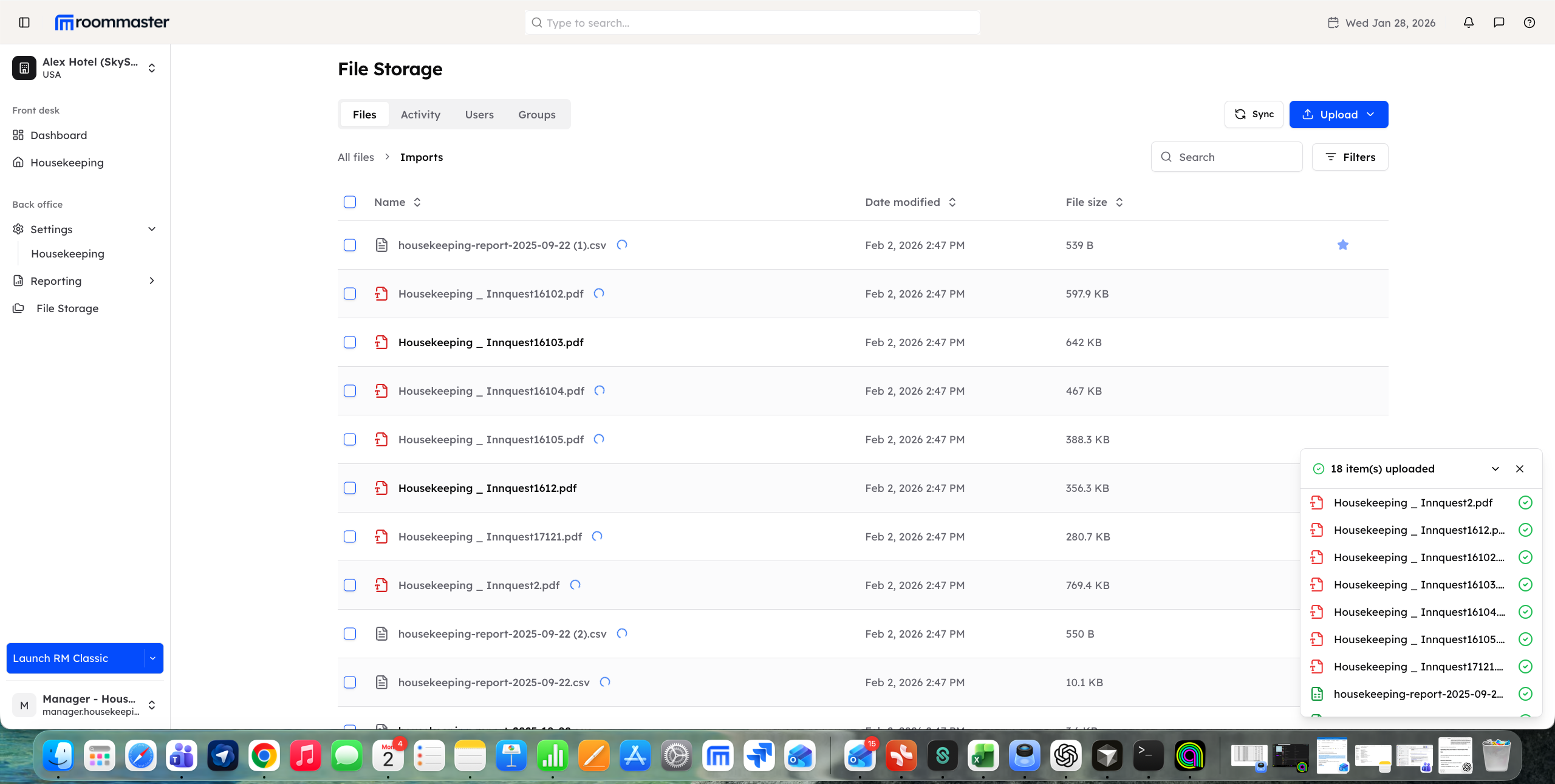
Upload progress tracking
An upload progress panel displays the status of your uploads so you can track completion.
Automatic duplicate handling
If a file with the same name already exists, the system will automatically rename the new file (auto-rename).
File restrictions
warning
Maximum file size: 8 MB
Files larger than 8 MB cannot be uploaded.
The following file types cannot be uploaded:
| Category | Blocked extensions |
|---|---|
| Executables | .exe, .dll, .bat, .cmd, .com, .msi, .scr |
| Scripts | .js, .vbs, .ps1, .sh, .bash |
| Audio | .mp3, .wav, .flac, .aac, .ogg, .wma |
| Video | .mp4, .mpeg, .avi, .mov, .wmv, .flv, .webm, .mkv, .m4v |
| Archives | .zip, .rar, .7z, .tar, .gz, .bz2, .xz |
| System files | .sys, .drv, .ini, .reg |
| Web files | .html, .htm, .php, .asp, .aspx, .jsp, .cgi |
File name restrictions (Windows path compatibility)
- Forbidden characters:
< > : " / \ | ? *and control characters - Reserved names: CON, PRN, AUX, NUL, COM1-9, LPT1-9
- Max filename length: 255 characters
- Max path length: 260 characters
- Cannot start or end with spaces, or end with periods
Upload status indicators
| Status | Indicator | Meaning |
|---|---|---|
| Syncing | Blue spinner | File uploaded, currently syncing to roommaster Cloud |
| Pending | Amber warning | File in uploads folder > 30 seconds, may need attention |
| Ready | No indicator | Fully synced and available |
Notes
- Make sure you are in the correct root folder (Imports or Images) before attempting to upload
- Upload availability depends on the folder you are currently viewing
Support
For additional support, please visit our Knowledge Base or contact our support team at support@roommaster.com.