Favorite files
This article explains how to favorite and unfavorite files to keep important files easily accessible.
What happens when you favorite a file
- Favorited files are pinned to the top of the file list within the folder
- This helps you quickly access frequently used or important files
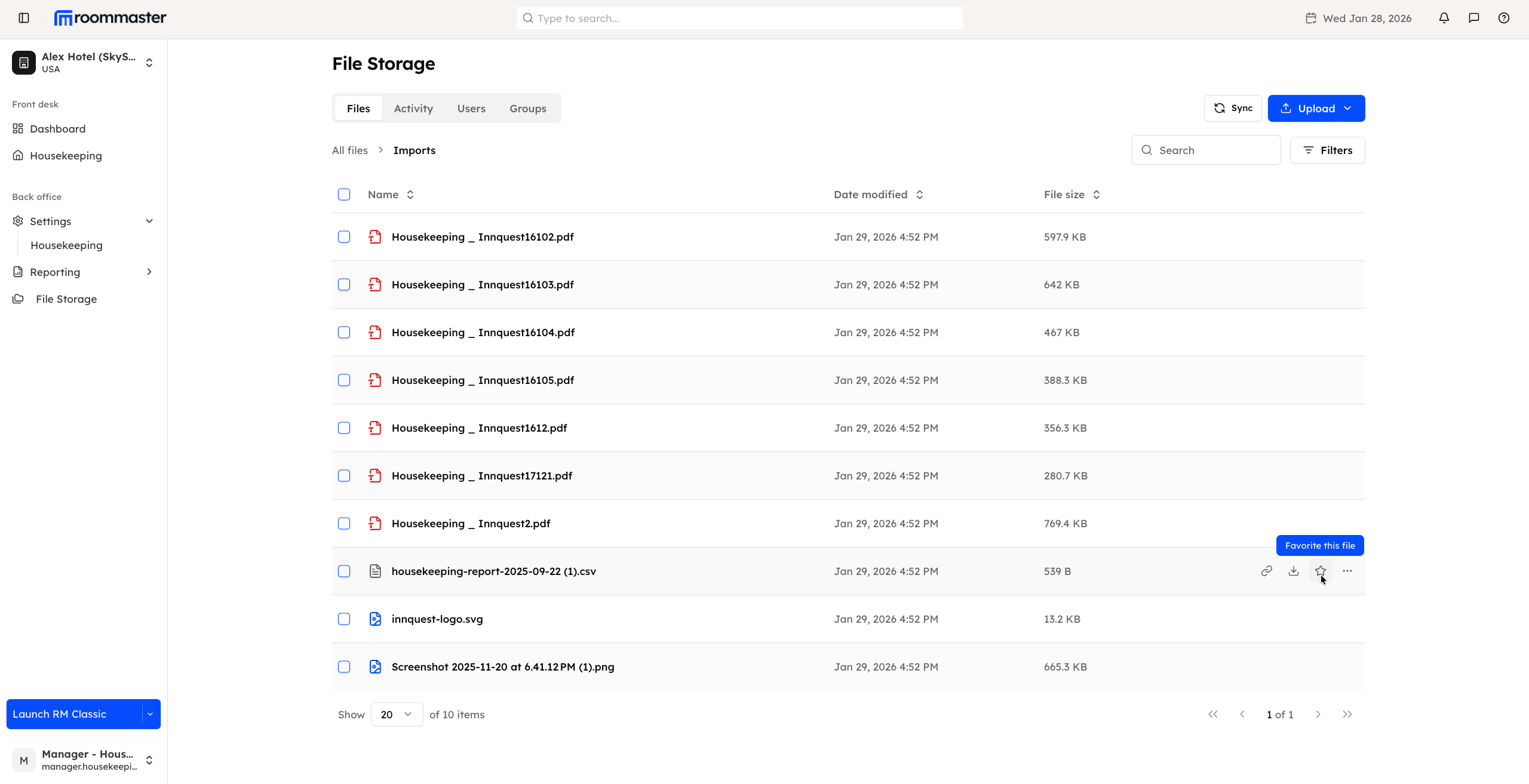
How to favorite a file
- Navigate to the folder that contains the file you want to favorite
- Hover over the file
- From the available actions, click the Star icon
- Once favorited, the file is immediately moved to the top of the list
How to unfavorite a file
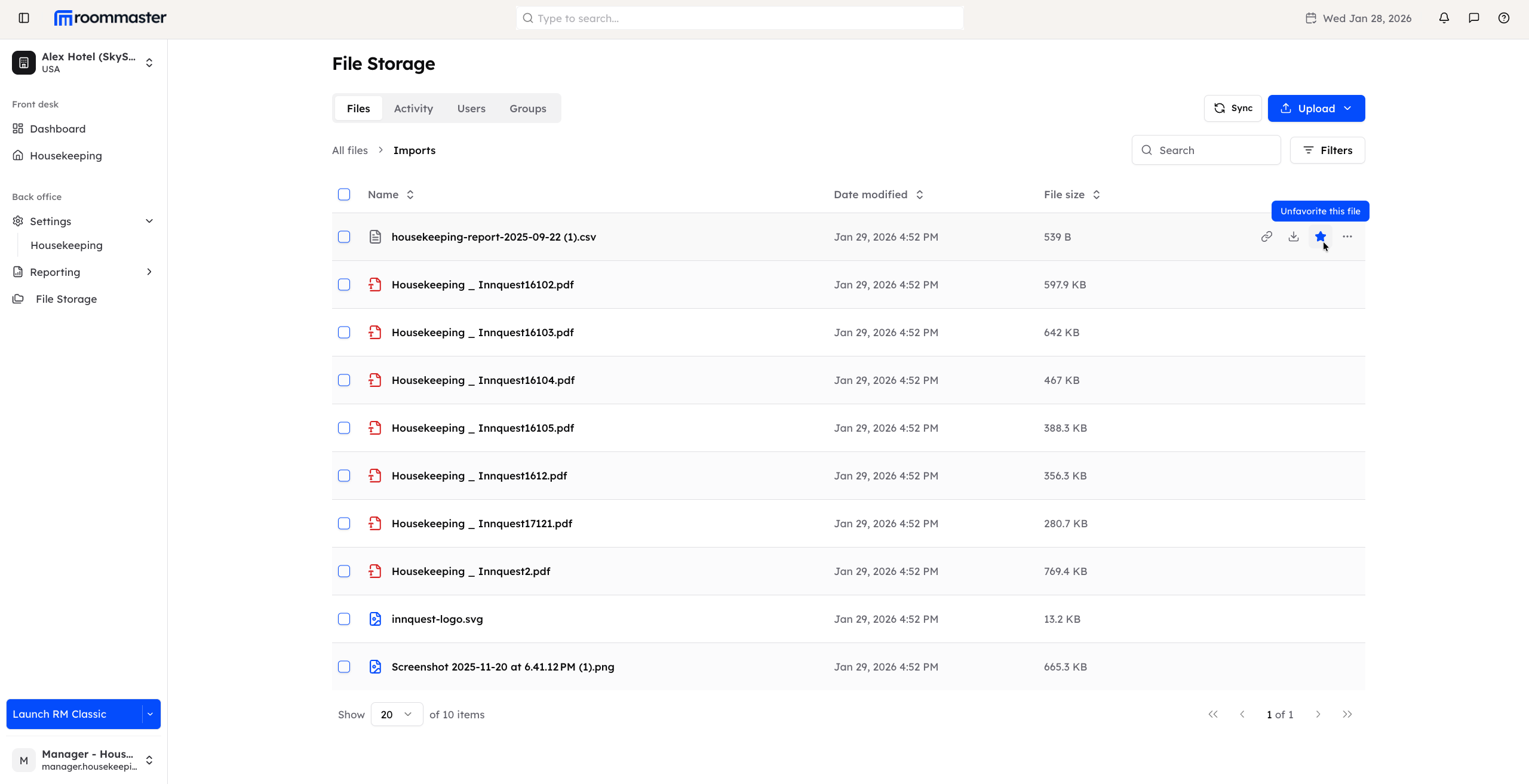
- Navigate to the folder that contains the favorited file
- Hover over the file
- Click the Star icon again
- Once unfavorited, the file is removed from the top section and returned to its original position in the list
Favoriting allows you to organize your files without changing the folder structure, making it easier to find what matters most.
Support
For additional support, please visit our Knowledge Base or contact our support team at support@roommaster.com.