Heidi Connectivity Details
How to activate the "Heidi" channel
- Send Heidi-ID: Send your Heidi-ID by email to installs@roommaster.com. roommaster's installs team will establish the connection to Heidi.
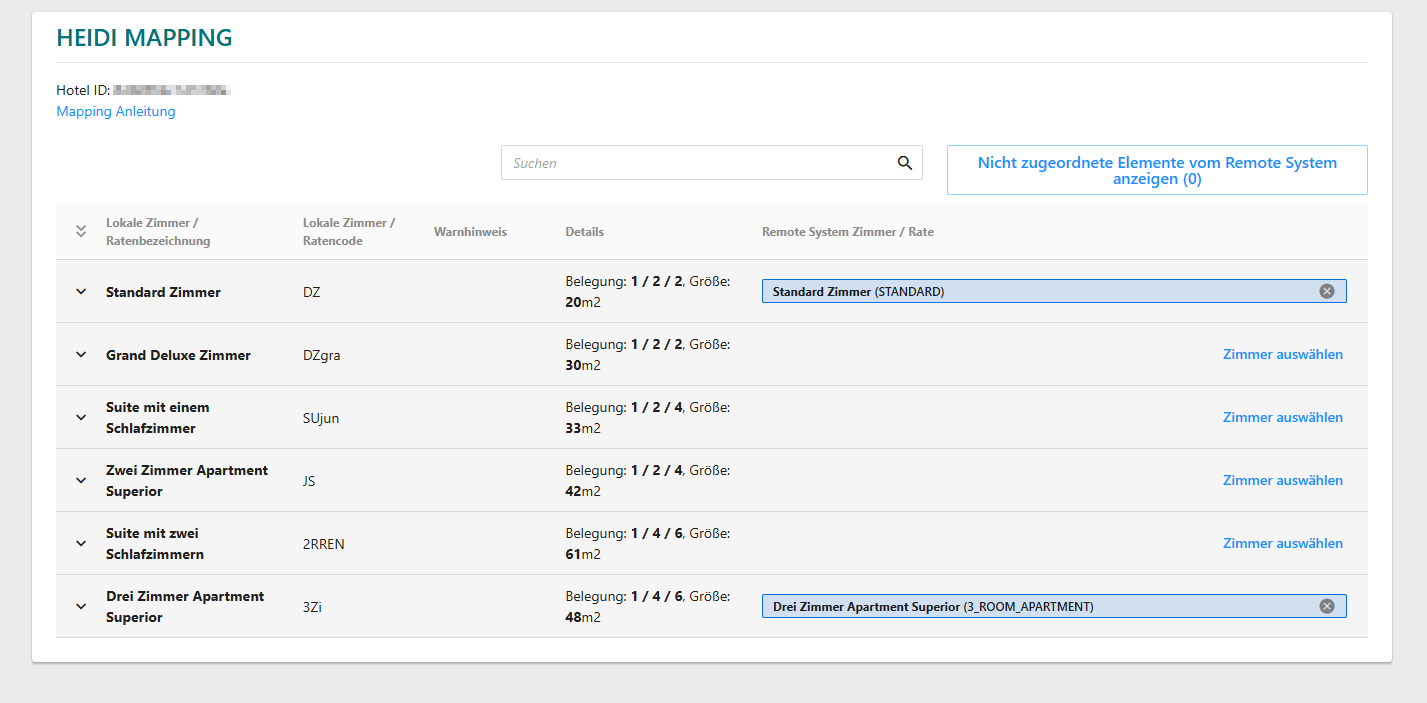
- Receive mapping link:
After linking, roommaster will send you a link to map room categories and rates between your hotel and Heidi (mapping).
- Perform mapping: Perform the mapping independently and then email installs@roommaster.com to confirm it is completed.
- Interface is activated: roommaster will activate the interface – your hotel is now live on Heidi and bookable.
Heidi supports various types of price and availability updates. Here's an overview:
Price Updates
- Base price: Update of all assigned rates
- Price by date: Daily update of individual data
- Price by date range: Update for multiple days in a range
- Price by occupancy: Different prices depending on the number of guests
- Surcharge:
- Adults: Surcharge per additional adult
- Children: Surcharge per additional child
- Children's age groups: Pricing based on age groups
Minimum and maximum stay (LOS)
- Heidi only supports minLOSThru / maxLOSThru.
- If only minLOS / maxLOS is sent → automatic conversion to minLOSThru / maxLOSThru.
- If both variants are available → Heidi always applies the most restrictive rule.
- Default values:
- Minimum stay: 2 nights (shorter values are increased to 2)
- Maximum stay: 14 nights (longer values are limited to 14)
Booking Restrictions
- CTA (Closed to Arrival): No arrival possible on certain days
- CTD (Closed to Departure): No departure possible on certain days
Availability Updates
- Overall update: All assigned rooms are updated
- Availability by date: Daily update of individual data
- Availability by date range: Update for multiple days in a range