Label Overwrites
This documentation provides a quick overview on how to identify the label/key you want to overwrite.
Once identified add the JSON to Hotel Manager > Booking Engine > Label Overwrites
Fine-print: Before changing/modifying labels please make sure they conform with the local eCommerce regulations!
Languages: Please note that you have to define the label overwrites for each language. If you do not provide a translation for any other supported language the default label/wording in its language will be shown.
Recommended/most convenient way:
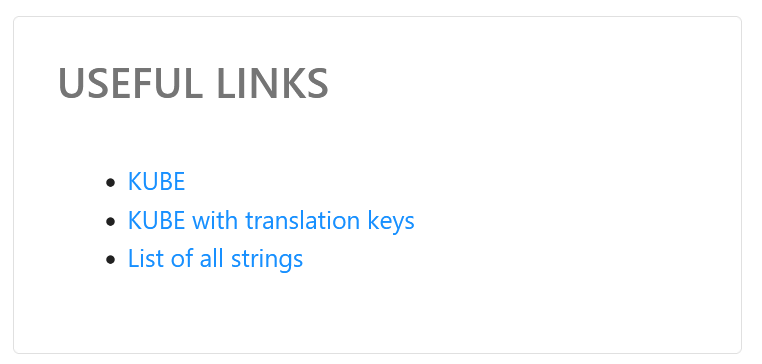
We are providing a "Useful Links" menu under Booking Engine > Label Overwrites
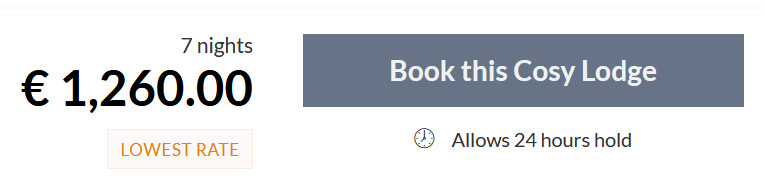
- Use KUBE to open the Booking Engine as is
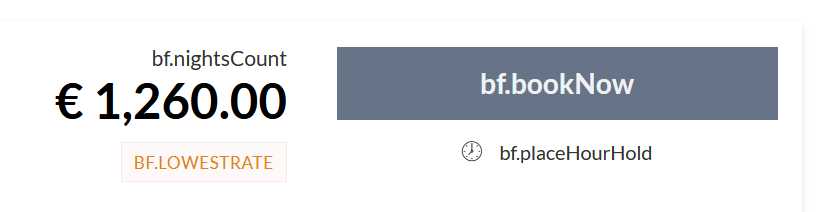
- Use KUBE with translation keys to see the various labels/keys
- Use List of all strings to access all the labels/keys in one JSON file. You can change the language key to any other supported language e.g. de, it, zh, cs, fr, es, pt and others
The full list also contains all keys used in the booking confirmation.
Examples
Change the "Results for" label to e.g. "Your Cosy Lodging Experience"
{
  "DE": {
    "bf.currentSearch": "Dein Budenerlebnis"
  },
  "EN": {
    "bf.currentSearch": "Your Cosy Lodgings Experience"
  }
}
Change the "Book now" label to e.g. "Book this Cosy Lodge"
{
  "DE": {
    "bf.bookNow": "Jetzt Bude buchen"
  },
  "EN": {
    "bf.bookNow": "Book this Cosy Lodge"
  }
}
Change the "Room" label to e.g. "Cosy Lodging"
{
  "DE": {
    "bf.rooms": "Buden",
    "bf.searchSummary": "Buden",
    "bf.roomNumber": "Buden"
  },
  "EN": {
    "bf.rooms": "Cosy Lodging",
    "bf.searchSummary": "Cosy Lodging",
    "bf.roomNumber": "Cosy Lodging"
  }
}
Change the "Almost booked" label to e.g. "Please complete the form"
{
  "DE": {
    "bf.almostBooked": "Nur noch ein Schritt"
  },
  "EN": {
    "bf.almostBooked": "Please complete the form"
  }
}