Customization Examples
Flat Design - Removed Radiuses
In order to achieve a flat look without border radiuses the following two less variables can be set to 0.
@baseBorderRadiusCommon:0;
@borderSearchInputRadius:0;
Flat Design - No Box Shadows
To achieve a flat design without drop shadows the following less variable can be set to 0.
@baseContainerBoxShadow:0 0 0 0;
Increased Room Images
Note: When you use the new, updated Fresh Design, the room images are already at an increased size.
CSS allows us to easily increase room images size. This example is used for fixed 500px width.
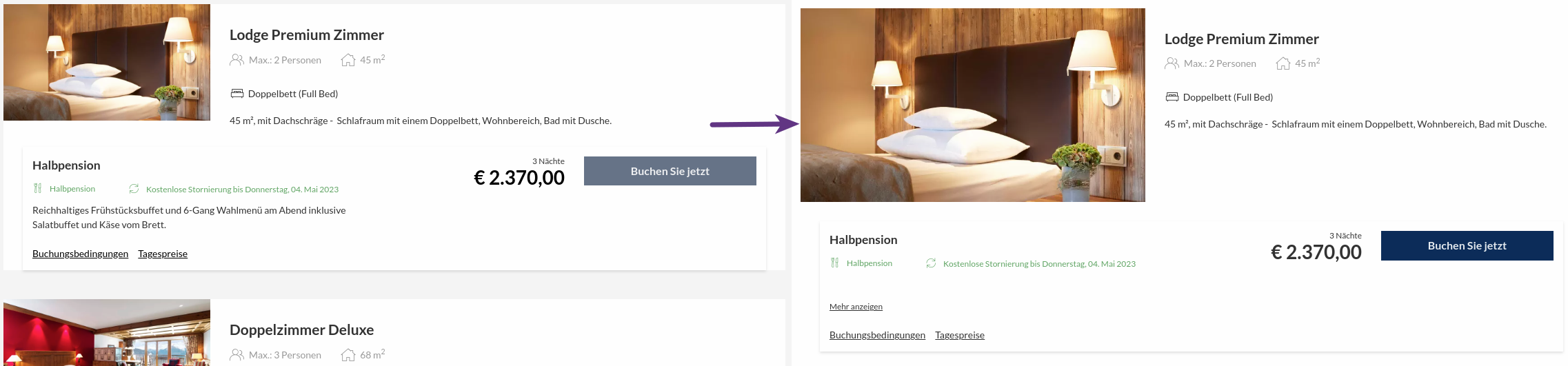
Enter the following snippet to your style configuration advanced mode.
/* Fix image height */
.room-card-main-image.has-not-cropped-image, .room-card-main-image.has-not-cropped-image .lazy-image-wrapper {
  height: 100%;
}
.room-card-main-wrapper {
  grid-template-columns: 500px 1fr;
}
Hide Booking Conditions and Daily Prices in Offers Card
This removes links allowing to access additional info.
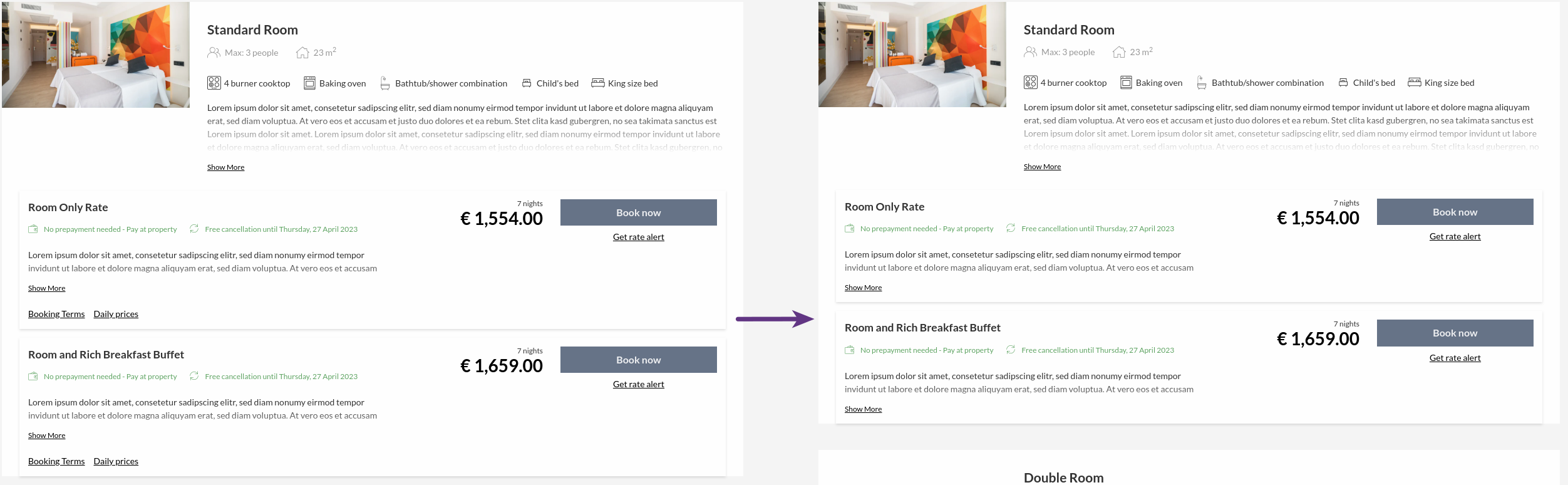
Enter the following snippet to your style configuration advanced mode.
/* Hide extra rateplan info (booking conditions and daily pricing) */
.rate-plan-extra-info-wrapper {
  display: none;
}
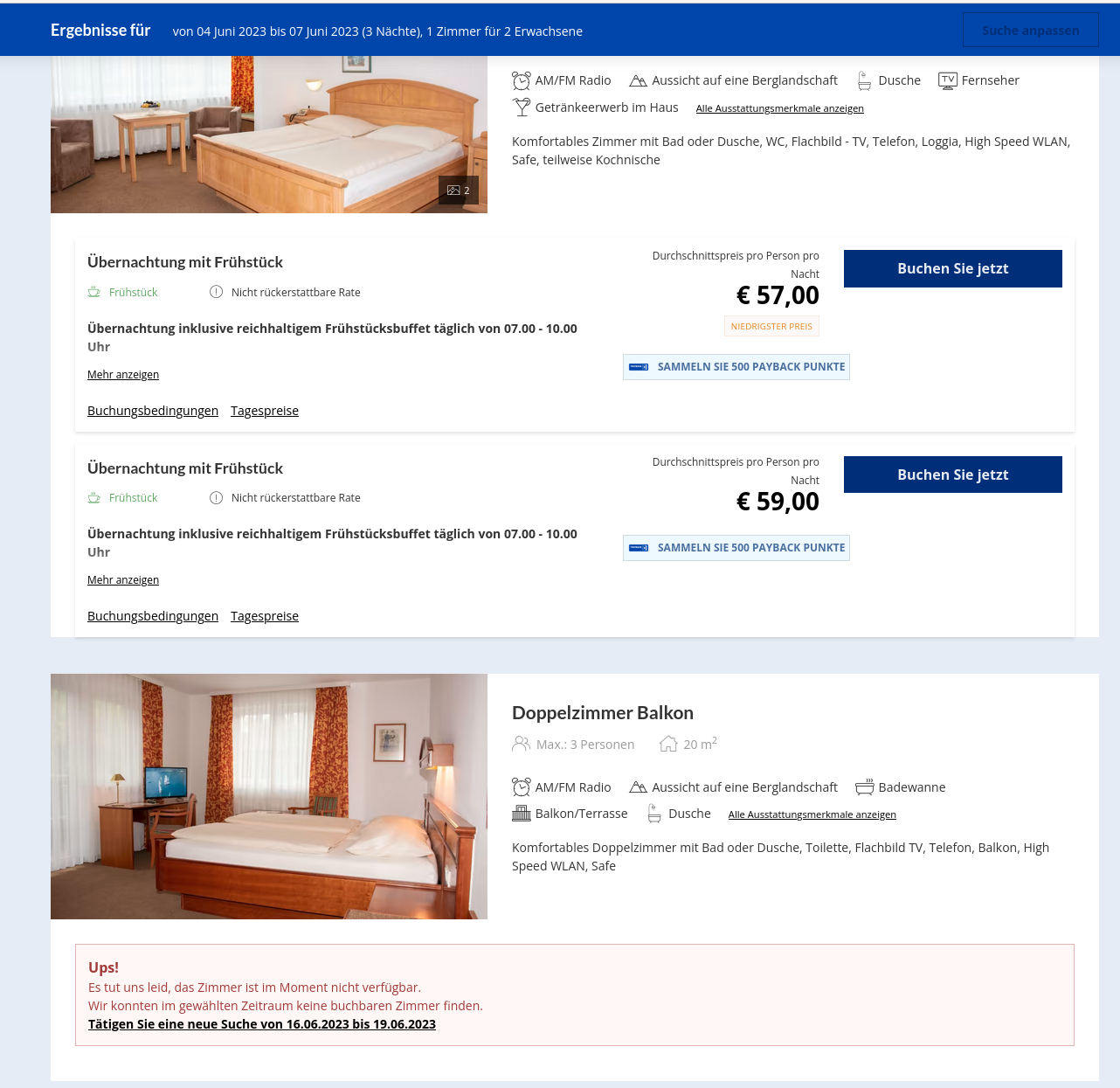
Hide unbookable rooms
Before:
After:
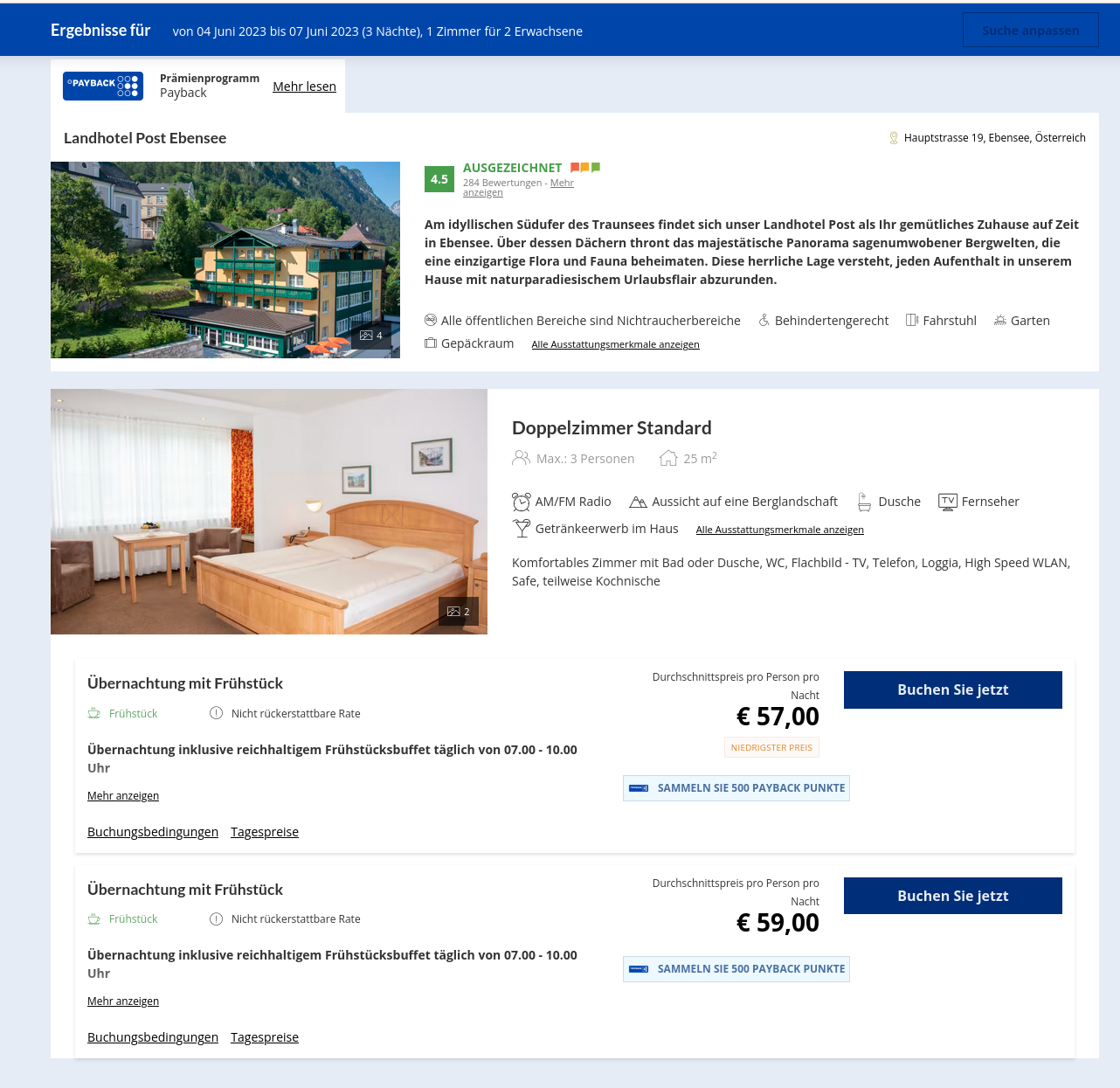
Enter the following to your styles configuration in Advanced Mode:
.empty-room {
  display:none;
}